.png)
Using Post Meeting Analysis (Managers)
Introduction
Video Overview:
With a PerformYard Talent Development license, a PerformYard Meetings license, and the Post Meeting Analysis Assistant enabled, the Coaching Post Meeting Analysis feature reviews the transcript, agenda, notes, and action items to generate a structured, evidence-based reflection on how the meeting went. Rather than offering generic feedback, the analysis ties every insight back to specific moments and quotes from the meeting itself, starting with a plain-language summary, then breaking down whether decisions were reached, surfacing commitments that were made verbally but never captured as formal action items, and evaluating participation, discussion quality, and time management. It closes with a focused coaching summary that highlights the manager's top strength, the single area most likely to improve their meeting effectiveness, and one concrete behavior to try next time, giving managers a clear, actionable picture of their meeting performance rather than just a recap of what was said.
Disclaimer: This feature uses artificial intelligence to generate insights based on a meeting's transcript, agenda, notes, and action items. While it aims to surface accurate, evidence-based analysis and coaching recommendations, these insights may not always capture the full nuance of what was discussed or the broader context of your working relationship. Please review the generated analysis alongside your own recollection of the meeting to ensure accurate interpretation before acting on any recommendations. AI-generated outputs are intended to support, not replace, human judgment and should not be the sole basis for any employment decision, such as hiring, promotion, compensation, or termination.
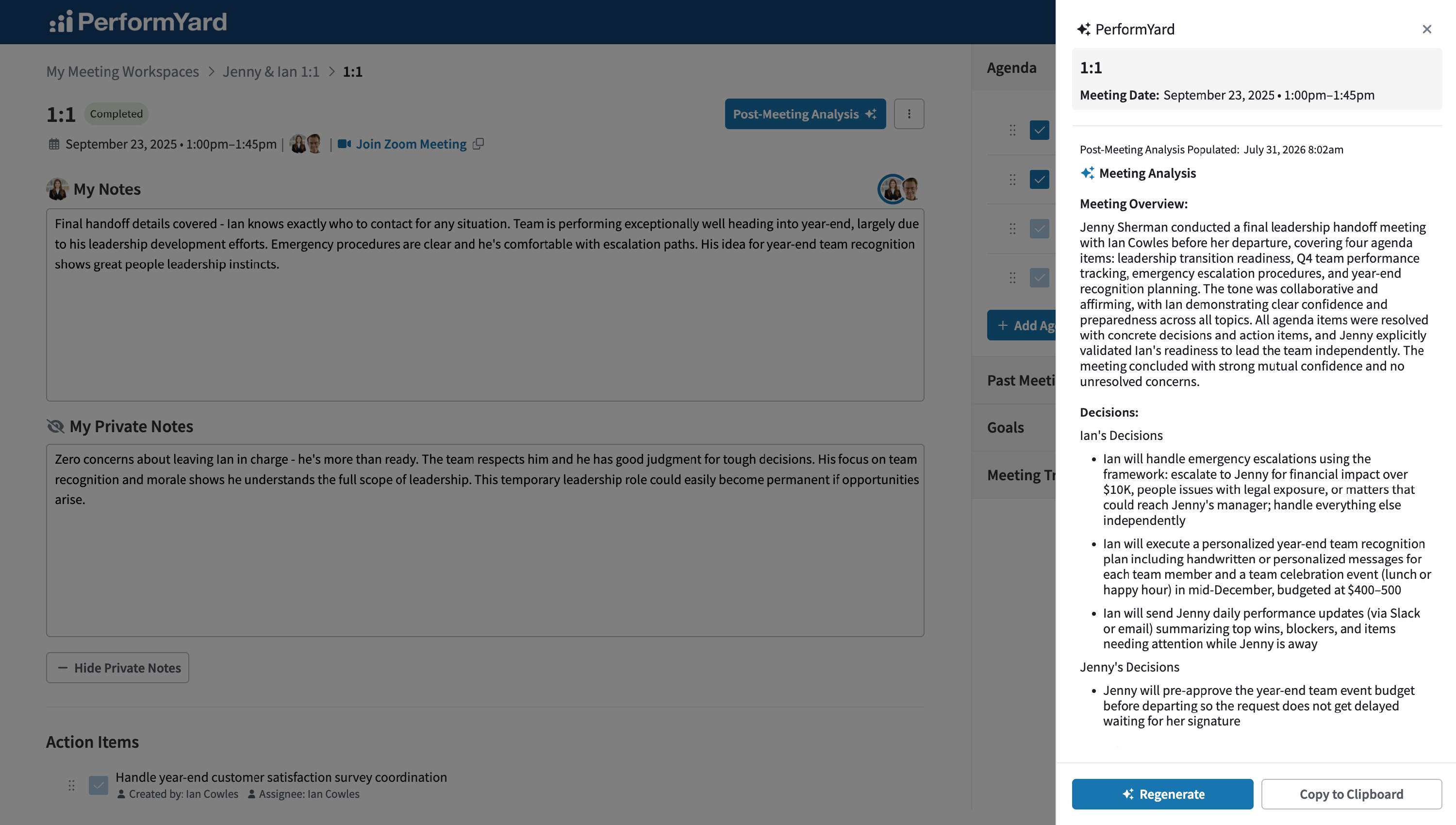
Post Meeting Analysis
Managers can access Post Meeting Analysis at any time by clicking the Post Meeting Analysis button next to the Options dropdown within a meeting. This feature is available on completed meetings with a transcript, allowing you to generate or revisit your analysis whenever you need to.
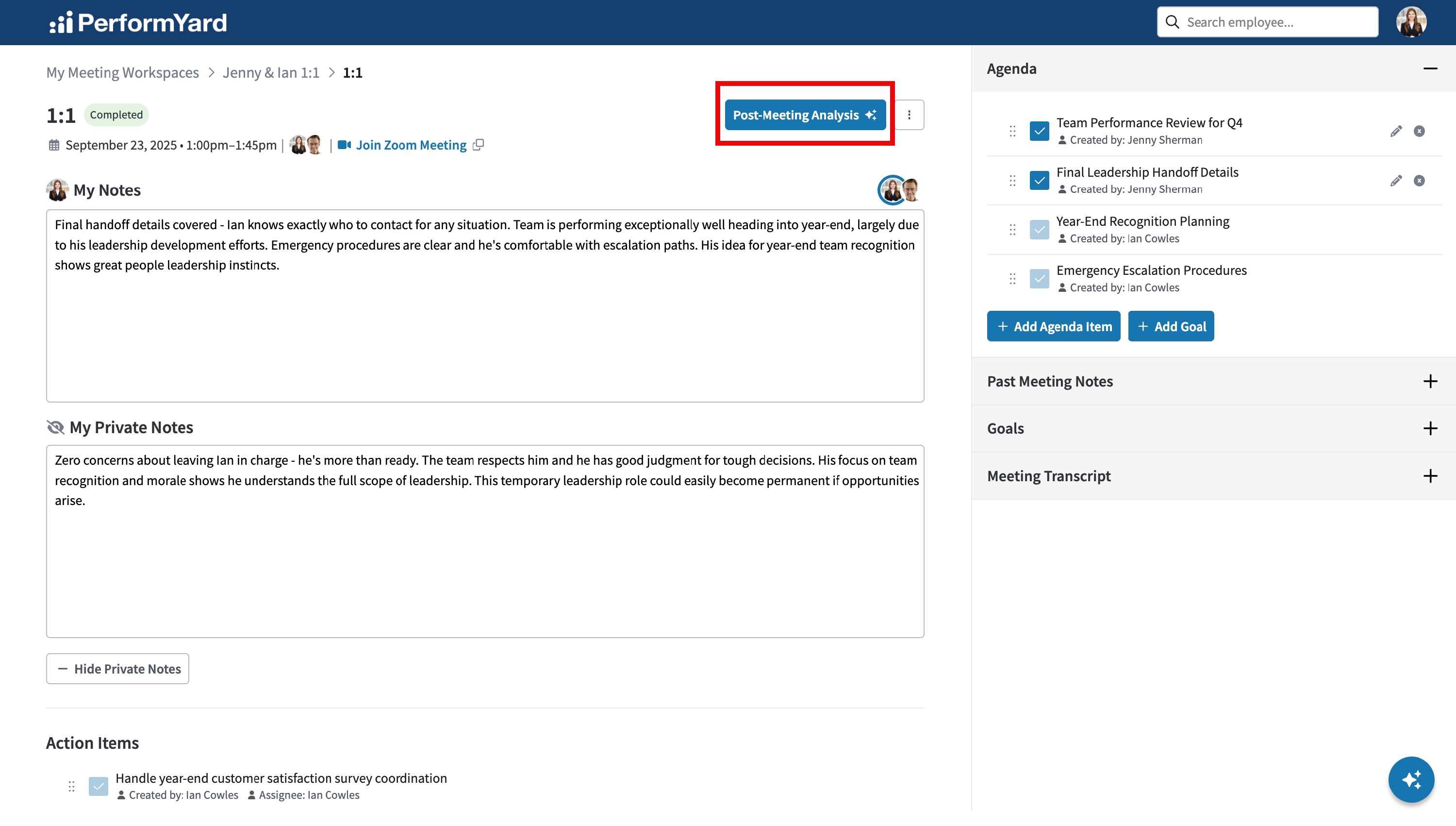
The first time a manager clicks the Post Meeting Analysis button for a completed meeting, the assistant gets to work analyzing the meeting's transcript, agenda, action items, and notes to generate a tailored analysis based on your company's configured preferences. Your analysis is saved automatically so it's ready whenever you need it. For meetings where analysis has already been generated, clicking the button brings up your existing analysis, with the option to regenerate it at any time.
Adding Suggested Action Items
One of the core features of Post Meeting Analysis is helping managers make sure nothing said in a meeting slips through the cracks. When analysis is generated, the assistant reviews the meeting's transcript and notes to surface any commitments, follow-ups, or next steps that were verbally agreed to but aren't already reflected in the meeting's action items. You'll find an interactive section designed to support this:
- Missed Commitments: Reviews the meeting transcript for commitments, follow-ups, or next steps that were verbally agreed to but weren't captured in the meeting's action items list. This includes small or informal commitments, like offering to send a document or agreeing to look into something, as well as vague suggestions such as "we should..." that may need an owner assigned. The goal is to catch anything that was said in the meeting but could otherwise slip through the cracks simply because it wasn't formally logged, giving managers a complete picture of what was actually agreed to.
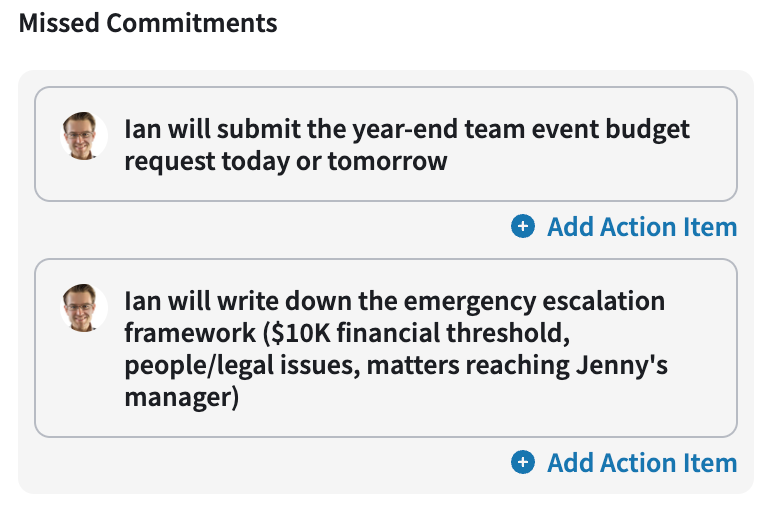
By clicking Add Action Item, the suggested action item will be created and assigned to the suggested employee.
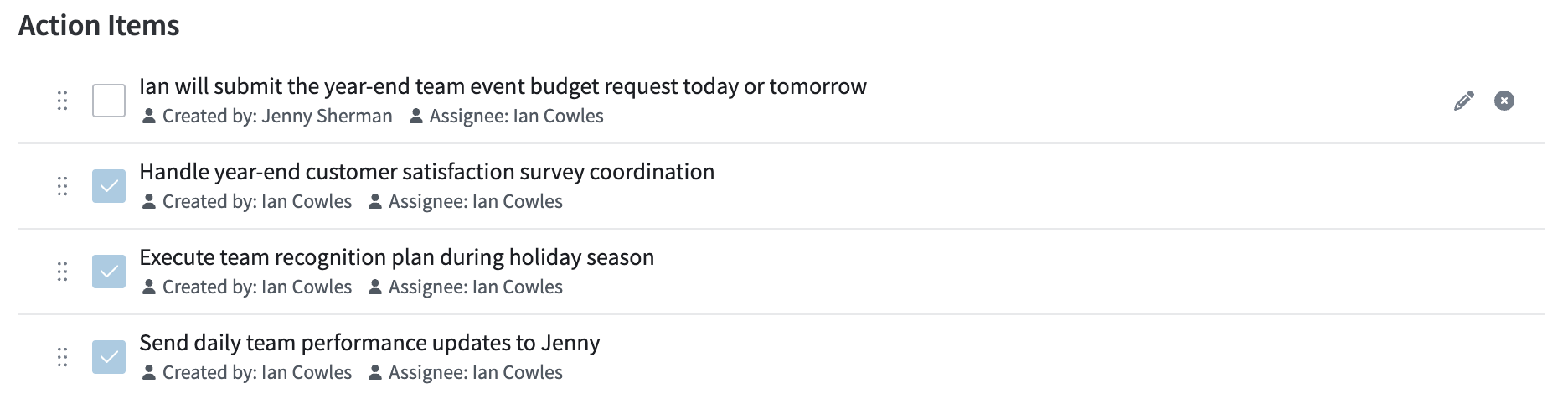
Meeting Coaching
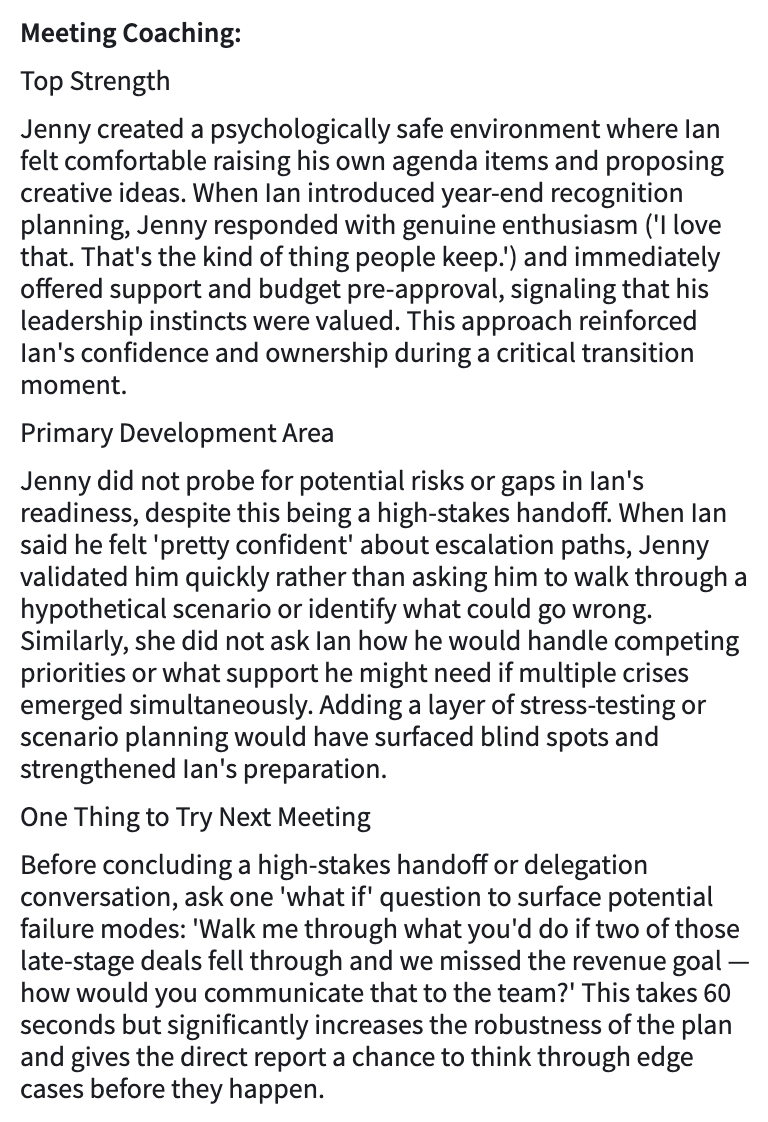
One of the core features of Post Meeting Analysis is helping managers grow as facilitators, not just review what happened. After the section-by-section analysis is complete, the assistant distills everything into focused coaching feedback, highlighting the manager's top strength, the single area most likely to improve their meeting effectiveness, and one concrete behavior to try next time. You'll find an interactive section designed to support this:
- Top Strength: Identifies the single most effective thing the manager did in this meeting, grounded in a specific moment or example from the transcript rather than a general compliment.
- Primary Development Area: Identifies the one area that, if improved, would have the greatest positive impact on the manager's meeting effectiveness, tied to a specific moment from the transcript rather than generic advice.
- One Thing to Try Next Meeting: Provides a single, concrete, actionable behavior change the manager can implement immediately in their next meeting.
Regenerating Insights

After the post meeting analysis is generated, you can refresh it at any time by clicking Regenerate. This prompts the assistant to generate a new analysis based on the meeting's transcript, agenda, action items, and notes, while also taking your company's section preferences into account.