.png)
Meeting Coaching Setup
Introduction
With a PerformYard Talent Development license, administrators can customize Meeting Coaching to fit their organization's needs. PerformYard's Meeting Coaching feature helps managers get more out of every one-on-one and team meeting by using AI to prepare beforehand and reflect afterward. Drawing on meeting transcripts, agendas, notes, action items, and broader context such as employee goals, performance reviews, feedback, and survey results, Meeting Coaching surfaces actionable insights that support more focused, productive conversations. Administrators have full control over how this feature works for their organization, with separate settings for pre-meeting preparation and post-meeting analysis, as well as granular control over the specific content included in each.You'll find this under Company Settings → Coaching → Meetings.
Disclaimer: This feature uses artificial intelligence to generate its content. While it aims to provide concise and accurate insights and coaching recommendations, it may not always capture the full nuance or context behind that information. Please review the generated insights and recommendations before relying on them for interpretation or decision-making. AI-generated outputs are intended to support, not replace, human judgment and should not be the sole basis for any employment decision, such as hiring, promotion, compensation, or termination.
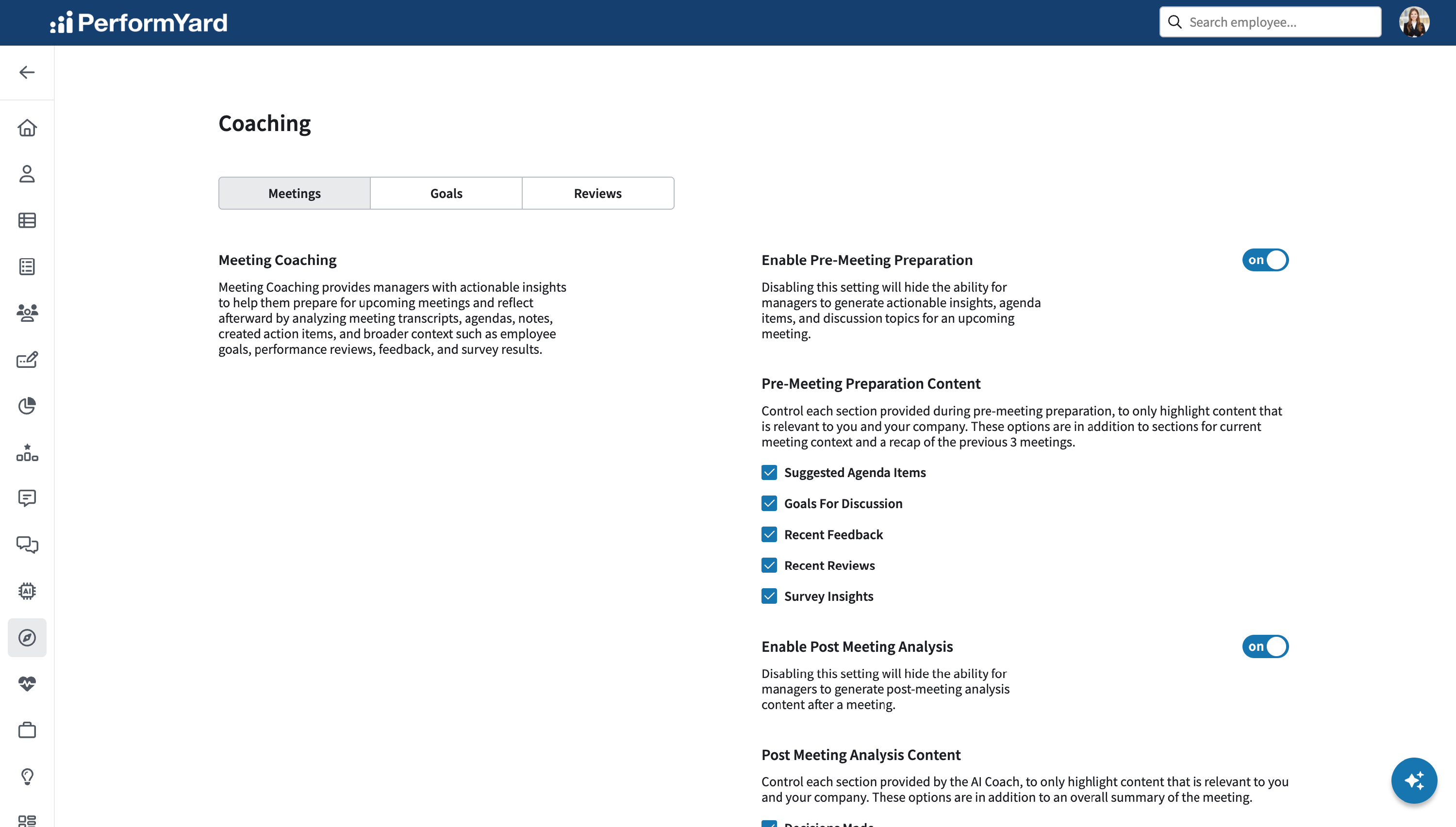
Pre-Meeting Preparation
Pre-Meeting Preparation gives managers a head start before their meetings even begin. Instead of piecing together context from past conversations, goals, and feedback on their own, managers receive AI-generated suggestions, including agenda items and discussion topics, pulled together in advance of an upcoming meeting. This helps ensure meetings stay focused, relevant, and grounded in everything that's happened since the last time the manager and employee met.
Enable Pre-Meeting Prep
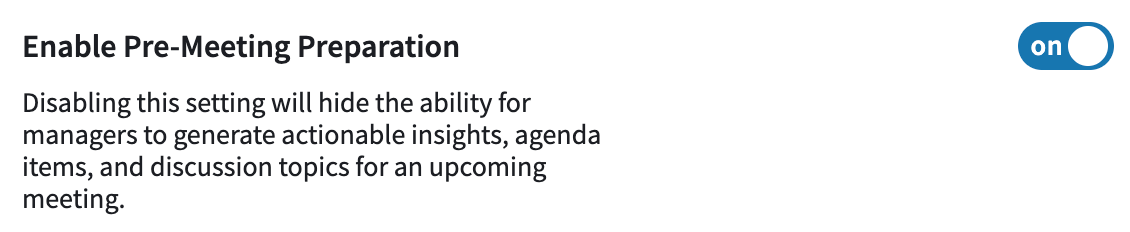
Administrators can turn Pre-Meeting Preparation on or off for their organization using a single toggle. When enabled, managers gain the ability to generate actionable insights, agenda items, and discussion topics ahead of an upcoming meeting. Disabling this setting will hide the ability for managers to generate actionable insights, agenda items, and discussion topics for an upcoming meeting, removing this preparation support until the feature is turned back on.
Pre-Meeting Prep Content
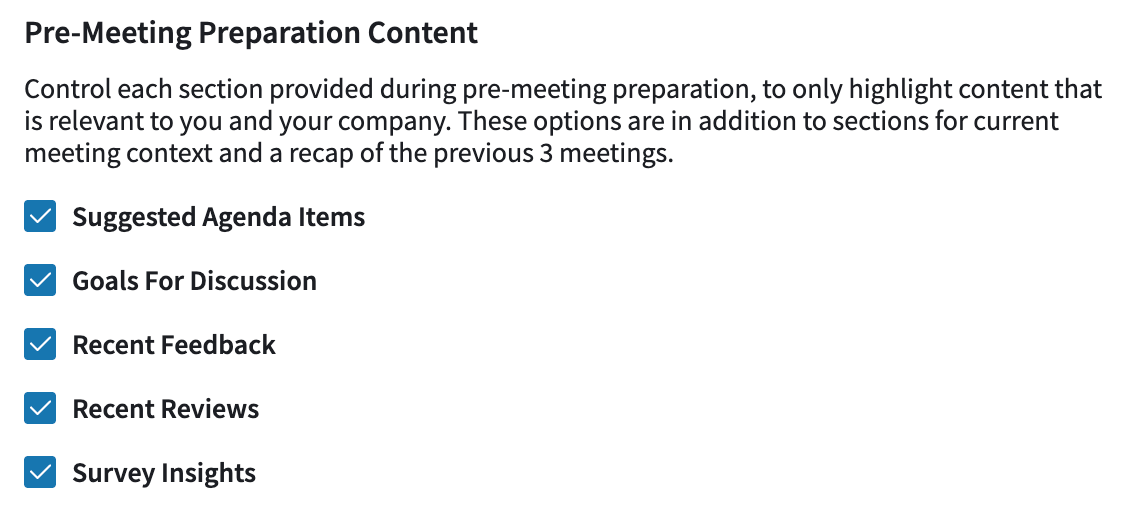
Beyond the current meeting context and a recap of the previous three meetings, admins can control exactly which additional sections appear in pre-meeting preparation content, ensuring managers only see what's most relevant to their company. Available options include:
- Suggested Agenda Items: Proposed agenda items for the upcoming meeting, based on patterns and themes surfaced across recent meetings, open action items, pending goals, and other relevant context.
- Goals For Discussion: Proposed agenda items based on the manager's direct report's goals that are most worth discussing right now. This includes goals with due dates coming up in the next month, any goals that are currently overdue, and goals that haven't had a recent update.
- Recent Feedback: A summary of feedback the manager's direct report has received over the past 30 days.
- Recent Reviews: Insights drawn from the most recently completed review where the manager's direct report is the subject.
- Survey Insights: A summary of how the manager's direct report responded in their most recent survey.
Each can be enabled or disabled independently, giving admins the flexibility to tailor the depth and focus of pre-meeting insights to fit their organization's needs.
Post Meeting Analysis
Post Meeting Analysis extends Meeting Coaching beyond the meeting itself, helping managers reflect on how it went and what comes next. After a meeting takes place, the AI Coach reviews the conversation and generates a summary along with deeper analysis, highlighting things like decisions made, follow-through on commitments, and overall meeting quality. This gives managers a clear, consistent way to look back on meetings and identify patterns over time.
Enable Post Meeting Analysis

Administrators can enable or disable Post Meeting Analysis for their organization using a single toggle. When enabled, managers gain the ability to generate post-meeting analysis content after a meeting concludes. Disabling this setting will hide the ability for managers to generate post-meeting analysis content after a meeting, removing this reflection support until the feature is turned back on.
Post Meeting Analysis Content
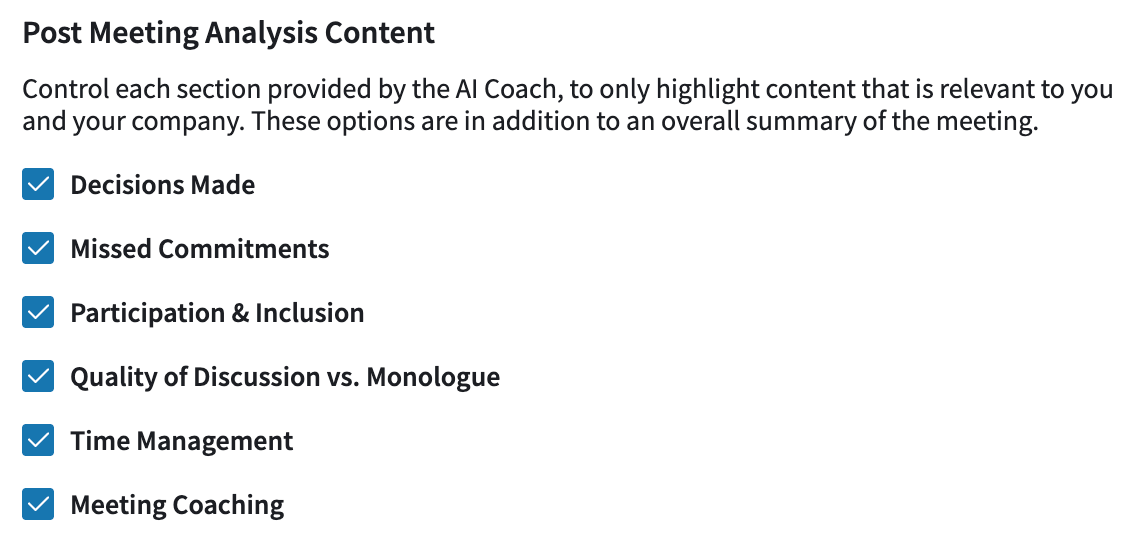
In addition to an overall summary of the meeting, admins can control which specific sections the AI Coach includes in its post-meeting analysis. Available options include
- Decisions Made: For each agenda item, evaluates whether a clear decision or resolution was reached.
- Missed Commitments: Surfaces action items extracted from the meeting transcript and notes.
- Participation & Inclusion: Analyzes speaking time distribution across attendees using the meeting transcript.
- Quality of Discussion vs. Monologue: Flags whether the manager facilitated genuine dialogue or primarily presented information.
- Time Management: Compares the planned agenda to the actual flow of conversation and flags any major time imbalances.
- Meeting Coaching:
- Top Strength: The single most effective thing the manager did in this meeting.
- Primary Development Area: The one area that, if improved, would have the greatest positive impact on the manager's meeting effectiveness.
- One Thing to Try Next Meeting: A single, concrete, actionable behavior change the manager can implement immediately.
Each of these can be turned on or off independently, allowing admins to shape post-meeting analysis around the categories of insight that matter most to their organization.