.png)
Using Employee Insights (Managers & Admins)
Introduction
Video Overview:
Employee Insights is an always-current AI summary of an employee's performance, goals, and growth, plus coaching recommendations, pulled from everything PerformYard already knows about them. Rather than requiring managers to piece together context from reviews, goals, feedback, meetings, and competencies scattered across the platform, Employee Insights consolidates all of it into a single, easy-to-read view. It's accessible to managers, the employee's chain of command, and admins from the Employee Insights tab on an employee's profile, and it automatically refreshes whenever new activity occurs, such as a completed review, a completed goal, new feedback, a finished meeting, or an updated competency level, so the picture stays current without any manual updating required.
Disclaimer : This feature uses artificial intelligence to generate insights based on an employee's reviews, goals, feedback, meetings, and competencies. While it aims to surface accurate, meaningful patterns and coaching recommendations, these insights may not always capture the full nuance or context behind that information. Please review the underlying data alongside any generated insights to ensure accurate interpretation before using them for decision-making. AI-generated outputs are intended to support, not replace, human judgment and should not be the sole basis for any employment decision, such as hiring, promotion, compensation, or termination.
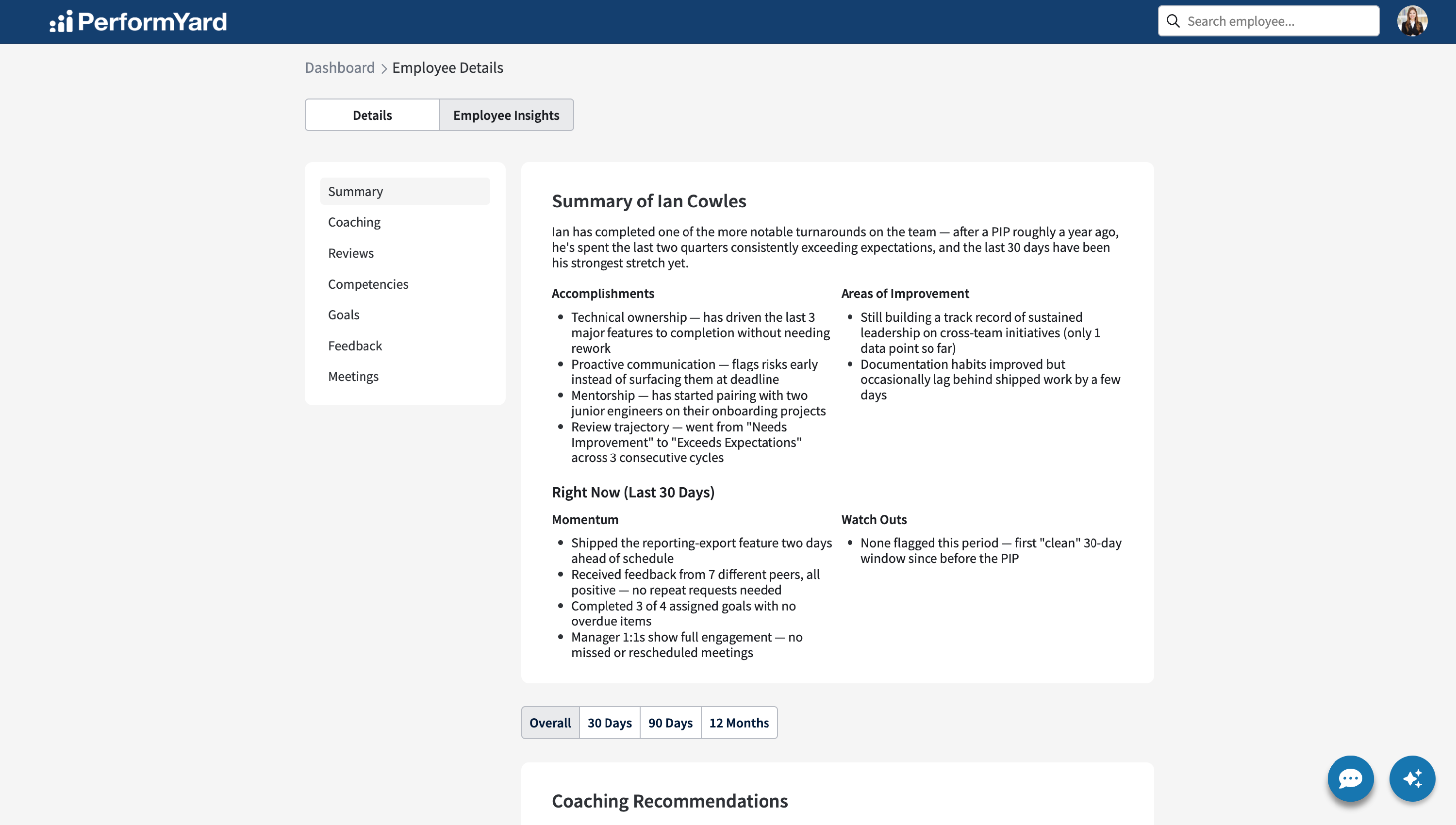
Employee Insights can be accessed for any employee by navigating to their Employee Details page and selecting the Employee Insights tab. You can get to an employee's Employee Details page in any of the following ways:
- Click their hyperlinked name anywhere in the platform (Directory, Org Chart, etc.)
- Search for them using the search bar in the top navigation
- (Managers) Click their name from the direct reports dropdown on your own Employee Details page
- (Admins) Access the employee list in company settings and click their name
Employee Insights Triggers
Employee Insights stays current by automatically refreshing whenever meaningful new activity occurs, including:
- A review is completed
- A goal is completed
- Feedback is received
- A meeting occurs
- A review or goal becomes overdue
- A competency level is updated
This isn't an exhaustive list, but it covers the most significant triggers that keep Employee Insights up to date.
Summary
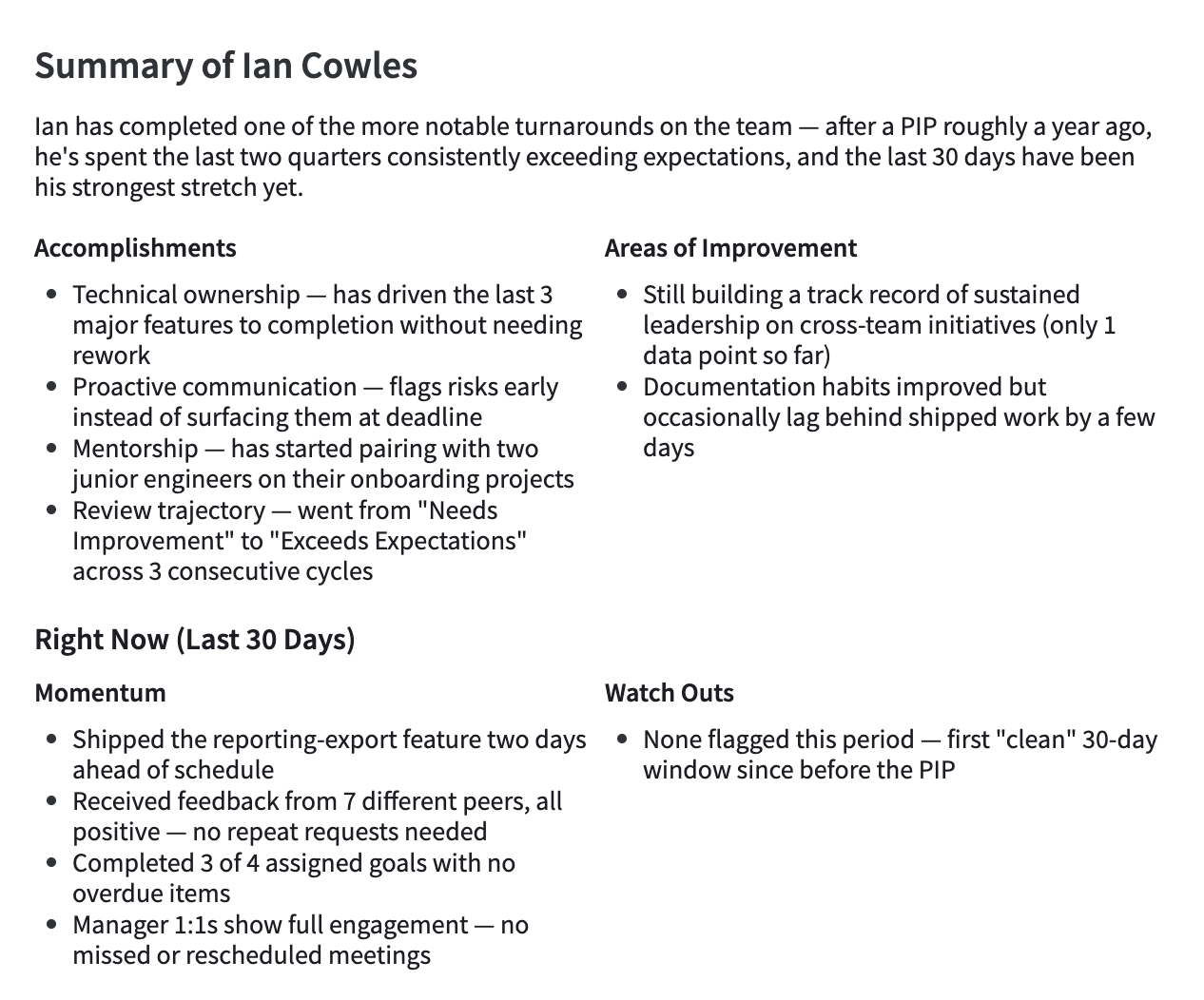
The Summary section gives a quick, top-level view of how an employee is doing, starting with a headline that synthesizes data from every other section into one or two sentences, offering an overall statement about their performance at a glance. Below that, Accomplishments and Areas of Opportunity each list three to five bullet points drawn from across the employee's full profile, highlighting what's going well and where there's room to grow. This section is designed to be the first thing a manager reads to quickly orient themselves before digging into the details below.
The Right Now section focuses exclusively on the most recent 30 days, giving managers a real-time pulse on an employee rather than a historical overview. Momentum highlights three to five things that are currently going well, such as strong review feedback or solid goal progress, while Watch Outs flags three to five items that may need attention, like overdue goals, overdue reviews, or low meeting participation. This section is meant to surface what's timely and actionable right now, separate from longer-term patterns covered elsewhere.
Coaching
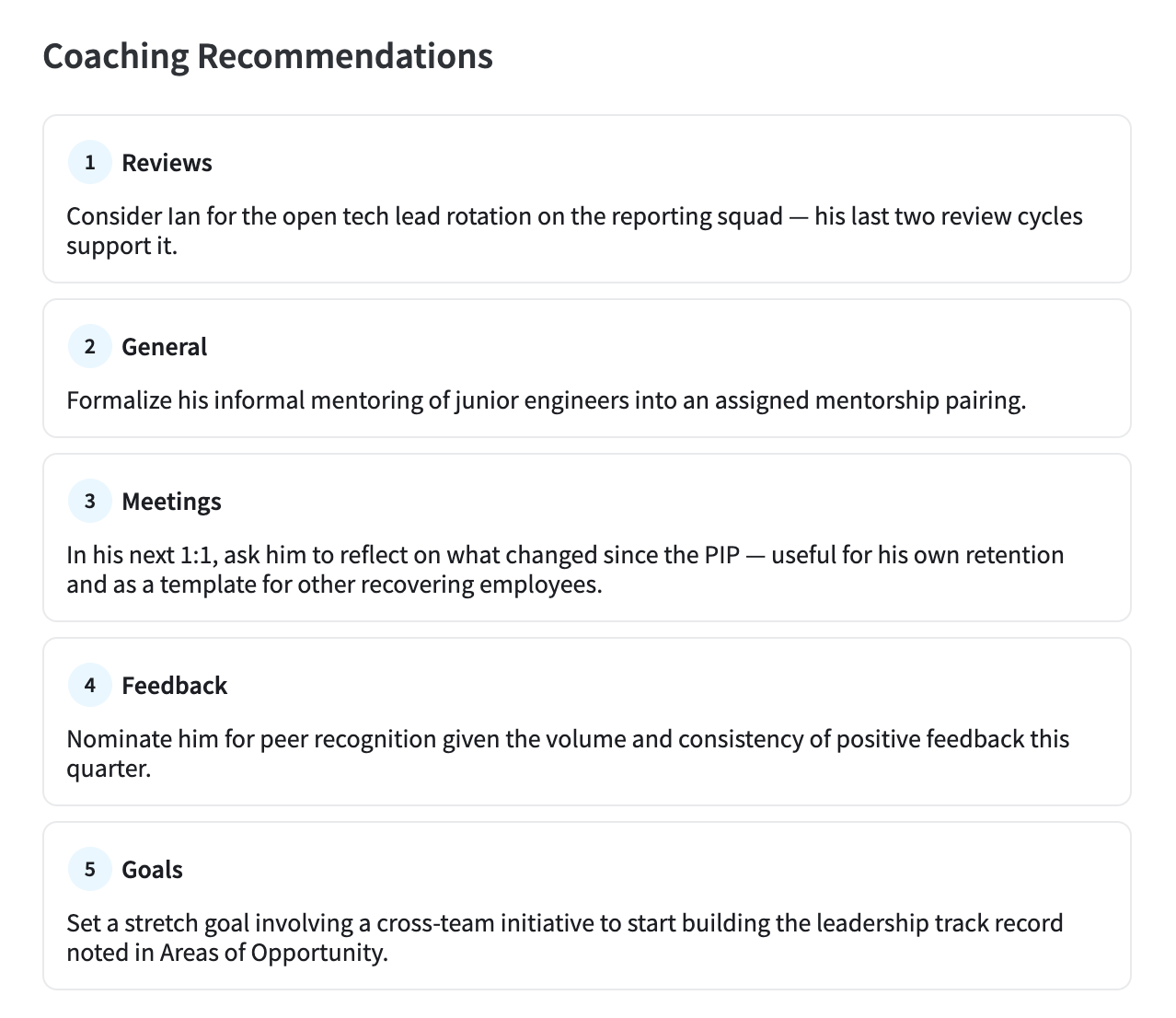
The Coaching section provides five AI-generated coaching suggestions for the employee's manager, drawn from all available data across the employee's profile. Visibility into this section depends on the coaching recommendations setting being enabled in company settings.
A time range picker sits above this section, letting managers view coaching suggestions based on an Overall view (the default) or narrowed to the last 30 days, 90 days, or 12 months, updating the data in all sections below to reflect only the data relevant to that timeframe.
Reviews
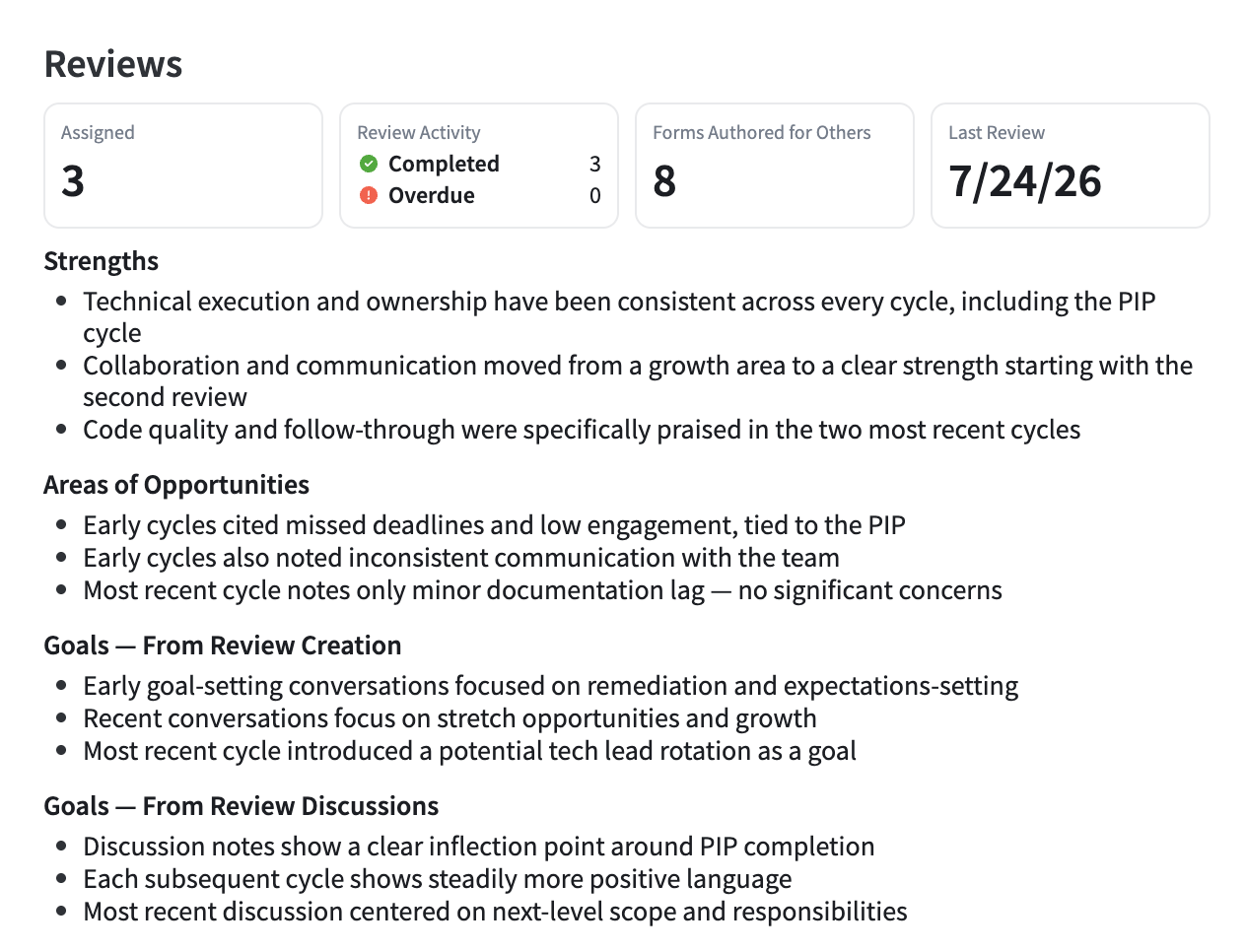
The Reviews section summarizes an employee's performance review activity and history. It includes review stats such as total reviews, completed and overdue counts, and the date of their last review, alongside AI-generated Strengths and Areas of Opportunity based specifically on review content. It also surfaces trends and insights pulled from goal-related questions asked during review creation and discussed in review conversations, giving managers a clearer sense of how goals show up in the review process itself.
Competencies
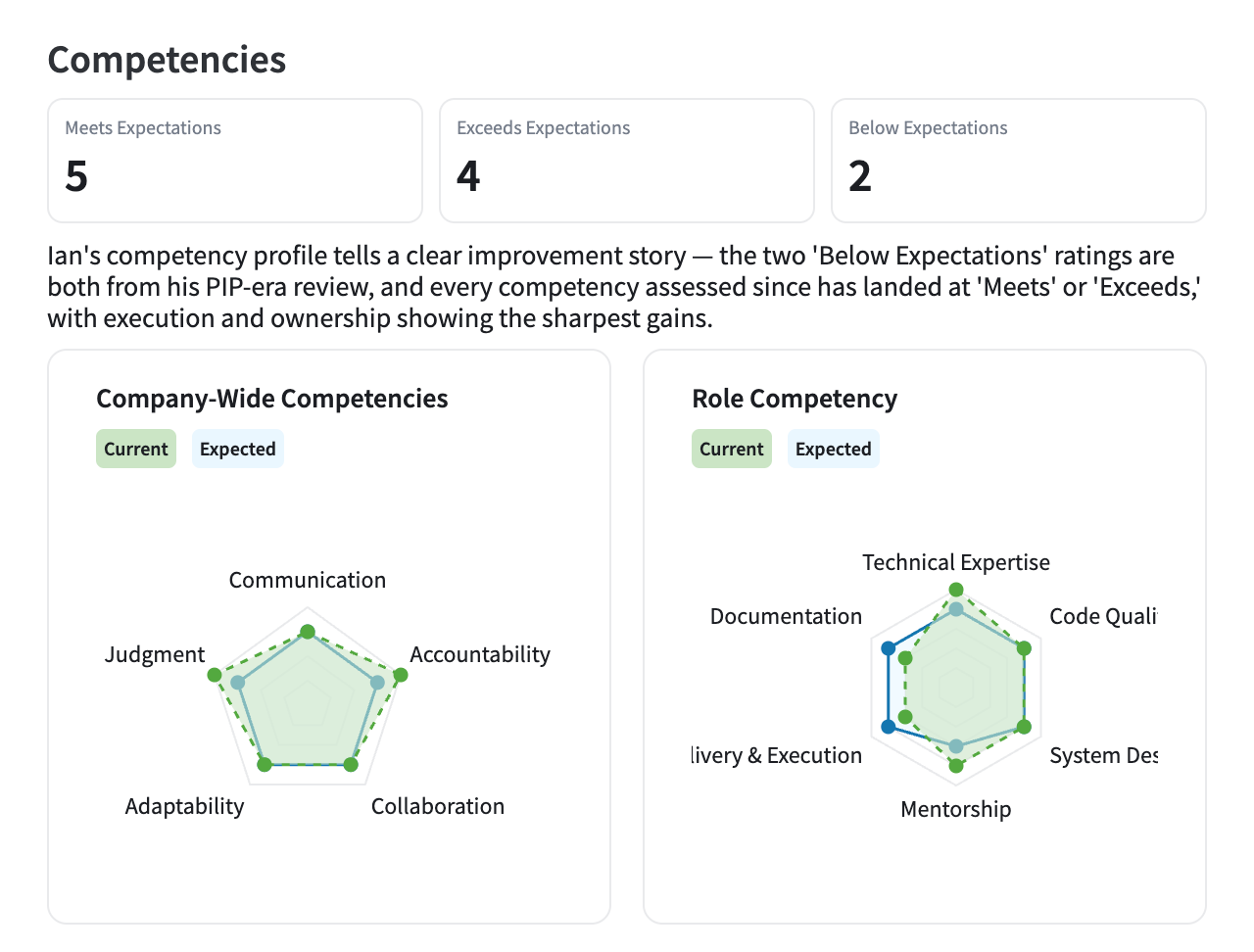
The Competencies section shows how an employee is performing against the competencies they've been assigned. Stats break down how many competencies fall into Meets, Exceeds, and Below Expectations, while an AI-generated paragraph identifies broader patterns across the employee's competency profile, for example, a consistent strength in one cluster paired with a recurring gap in another. Radar charts visualize current versus expected levels across both company-wide and role-specific competencies, giving managers a clear visual sense of where an employee stands.
Goals
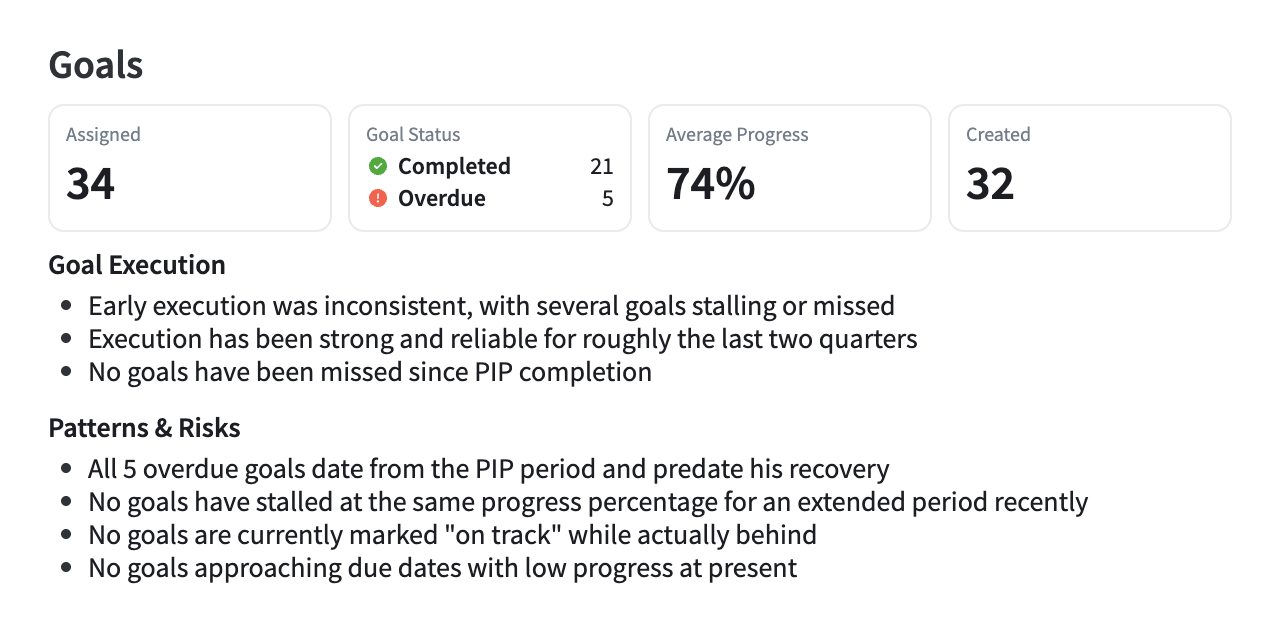
The Goals section gives managers visibility into how an employee is setting and executing on goals. Stats include the number of goals assigned, their status (completed, overdue, created), and average progress across active goals. Beyond the numbers, AI-generated insights assess Goal Execution, how well the employee drives goals to completion, and surface Patterns & Risks, such as goals stalled at the same progress for an extended period, goals marked "on track" despite lagging progress, goals approaching their due date with low completion, or a high number of archived versus completed goals.
Feedback
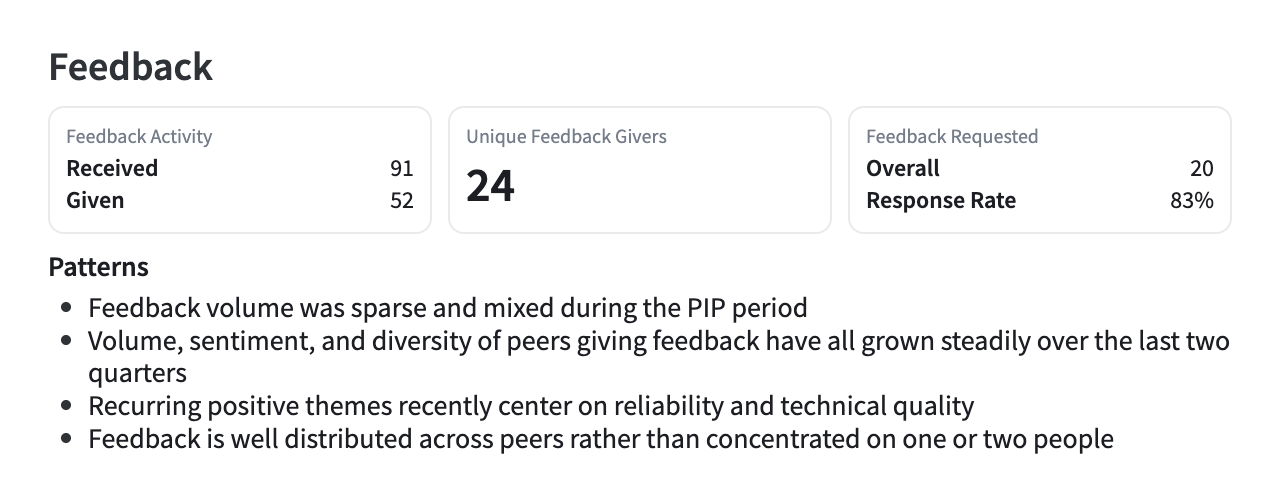
The Feedback section summarizes the feedback an employee has given and received. Stats cover feedback activity, including feedback received, given, and the number of unique feedback givers, along with feedback request activity and response rate. AI-generated insights highlight recurring themes in the feedback an employee receives, including positive patterns, constructive or critical themes, and whether that feedback is coming from a broad, diverse group of peers or concentrated among just one or two people.
Meetings
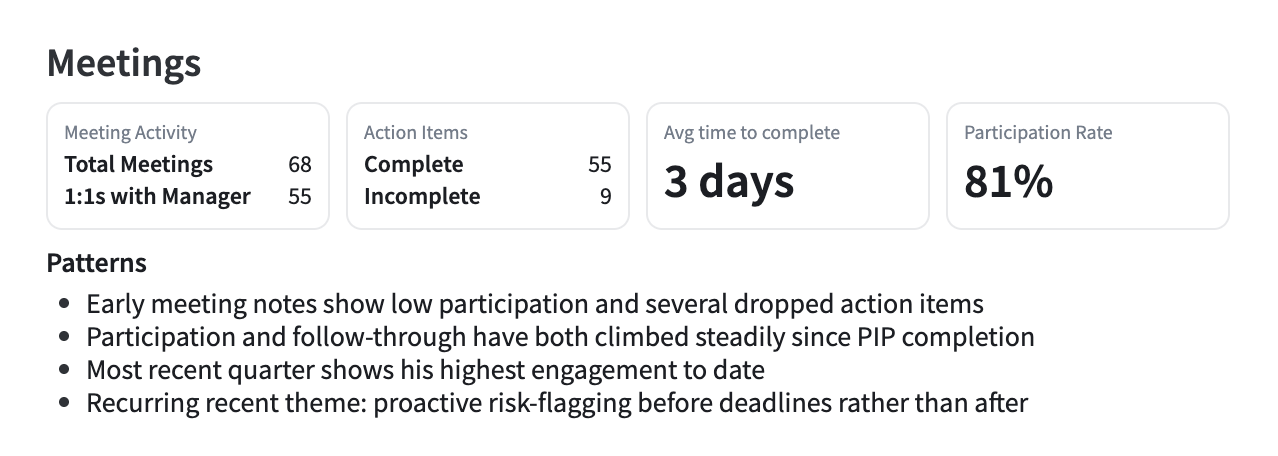
The Meetings section reflects how an employee shows up in their scheduled meetings. Stats include total meetings, one-on-ones with their manager, and a participation rate, calculated as participated meetings divided by held meetings, and only shown once an employee has at least five held meetings. A meeting counts as "held" if either participant added an agenda item, submitted a note, created or completed an action item, or if a transcript exists; meetings with none of these are excluded from all calculations. An employee counts as having "participated" if they took one of those same actions themselves, or, when a transcript is available, spoke at least 50 words, filtering out simple yes/no responses. Beyond the stats, AI-generated insights surface recurring themes across meeting notes, transcripts, and agendas, along with patterns in how well the employee follows through on their action items.