.png)
Using the Goal Quality Coach
Introduction
Video Overview
With a PerformYard Talent Development license and the goal quality coach enabled in your company settings, employees will access to the goal quality coach. Goal Quality Coach helps employees write stronger, more effective goals by providing AI-generated feedback as goals are being created. Rather than leaving employees to guess whether a goal is well-written, the assistant evaluates it against your organization's chosen goal-writing framework and returns clear, dimension-by-dimension feedback, including a rating, a brief explanation, and a concrete suggestion for improvement where needed. Administrators control whether this feature is available to their organization and can select the framework used to guide its feedback, ensuring the coaching employees receive reflects the way their company actually approaches goal-setting.
Disclaimer: This feature uses artificial intelligence to evaluate goals based on the goal details provided, the employee's role, and available company context. While it aims to provide constructive, actionable feedback aligned to your organization's selected goal framework, it does not have access to an employee's current workload, active goal count, or historical performance, so feedback on dimensions like achievability, ownership, and timeframe may not fully reflect an individual's actual capacity. Please review all generated feedback before applying it to ensure it fits your specific situation. AI-generated outputs are intended to support, not replace, human judgment and should not be the sole basis for any employment decision, such as hiring, promotion, compensation, or termination.
 Goal Quality Coach
 Goal Quality Coach
To receive feedback on the goal you're creating or updating:
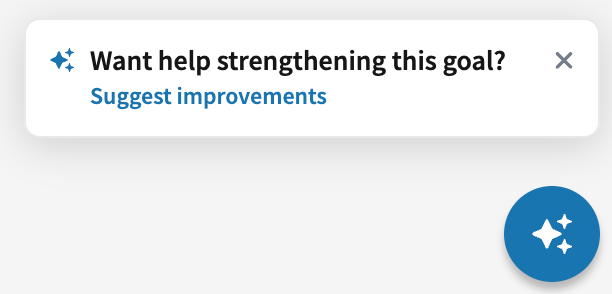
- Click "Suggest Improvements" on the pop up above Ask PerformYard OR
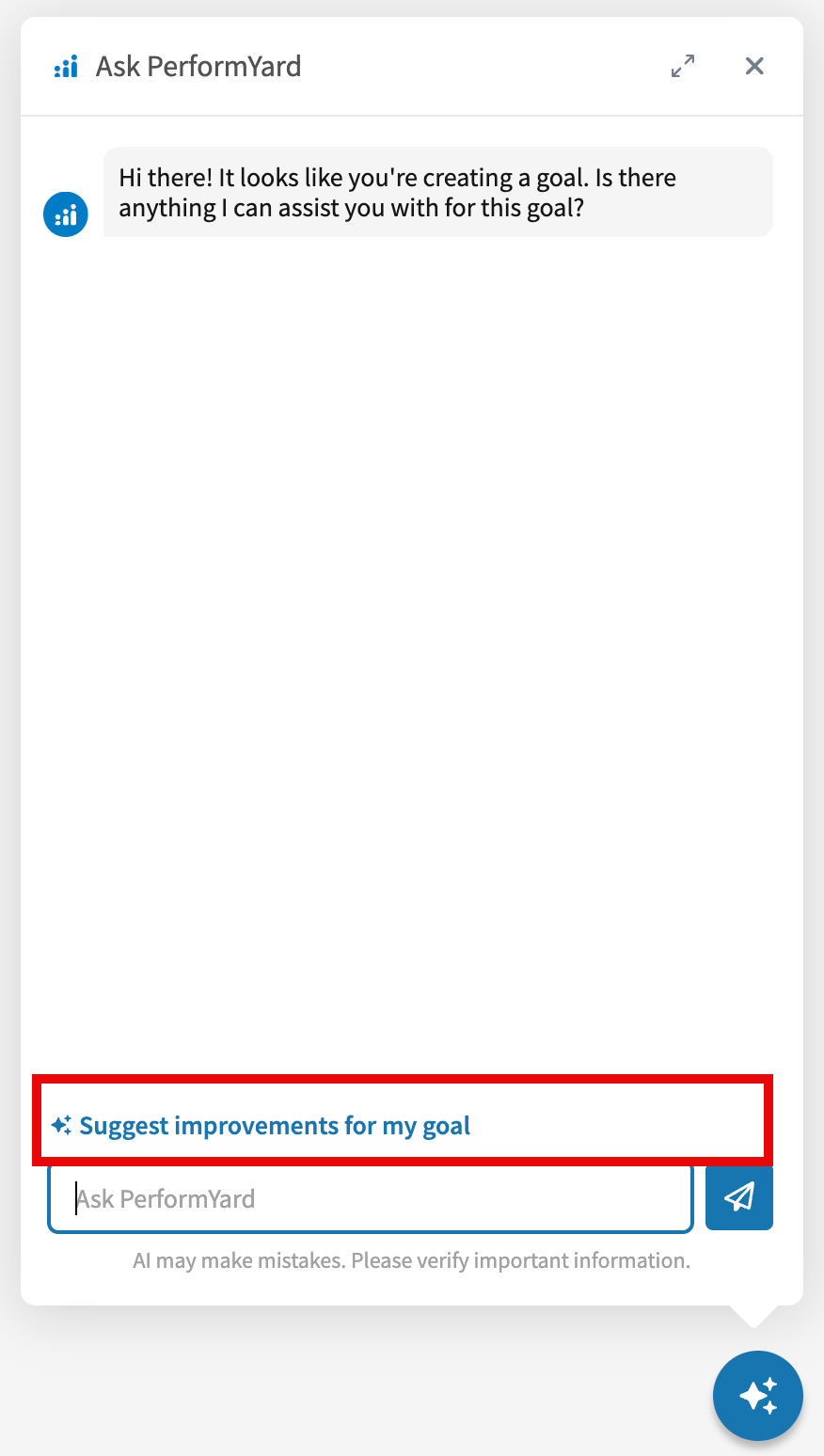
- Open Ask PerformYard and click the suggested action "Suggest improvements for my goal" OR
- Type and submit a message such as "Help me improve my goal"
Any of the above will kick off Ask PerformYard's goal quality coach.
Goal Quality Coach tailors its feedback based on the goal framework an admin selects in company settings, ensuring every employee receives coaching that reflects the standard their organization has chosen. If SMART is selected, the assistant evaluates goals across the five SMART dimensions, Specific, Measurable, Achievable, Relevant, and Time-bound, rating each individually and offering a concrete suggestion for improvement. If General Guidance is selected, the assistant instead evaluates goals across a broader set of dimensions, clarity, focus, measurability, ownership, timeframe fit, relevance to role, and a catch-all for anything important that doesn't fit elsewhere, without referencing any named methodology. If Custom is selected, the assistant bases its evaluation entirely on the goal-writing guidance an admin has entered in company settings, allowing feedback to reflect internal principles and priorities unique to that organization. In all cases, since the assistant doesn't have access to an employee's workload, active goal count, or performance history, feedback on dimensions like Achievable, Ownership, and Timeframe Fit is framed with appropriate uncertainty rather than presented as a confident judgment of capacity.
Applying a Suggested Improvement
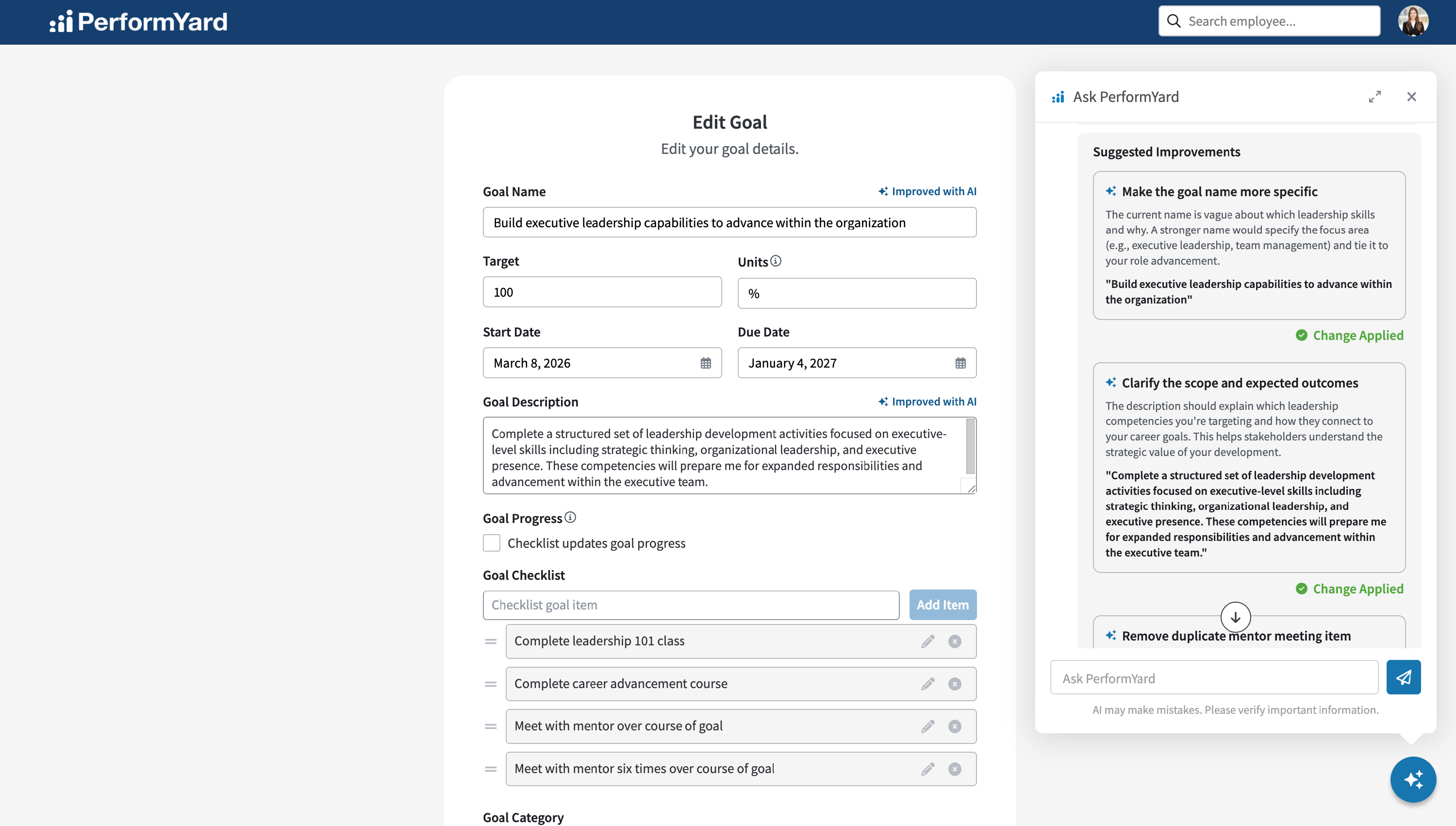
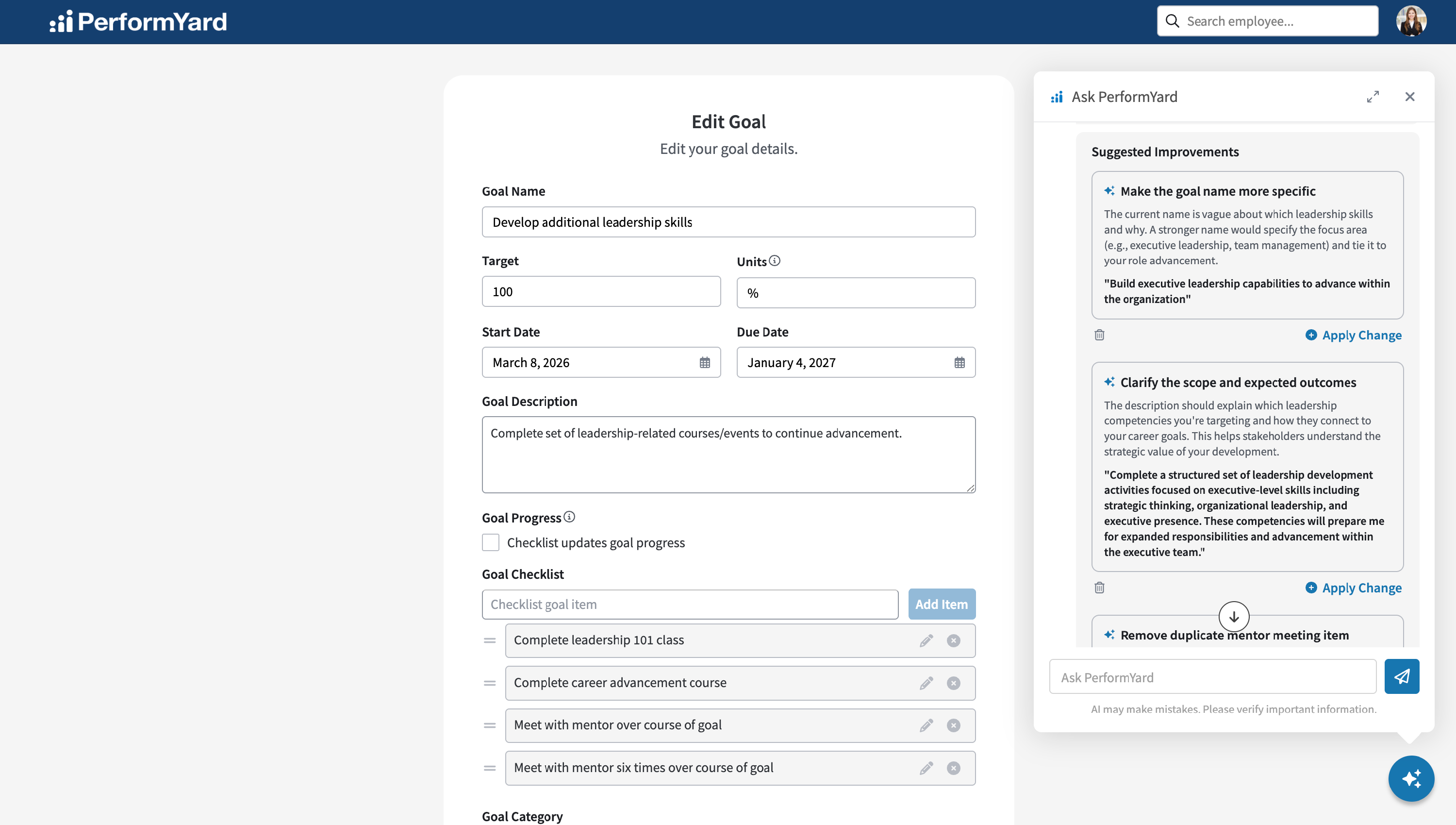
Once Ask PerformYard finishes analyzing your goal, it returns a list of Suggested Improvements, each one tied to a specific property of your goal. Every suggestion includes a brief explanation of the issue it identified along with a suggested rewrite shown directly below the explanation. Employees can review each suggestion individually and decide whether to apply it, dismiss it, or leave the corresponding goal property as-is. To apply a suggestion, simply click the Apply Change button below it.
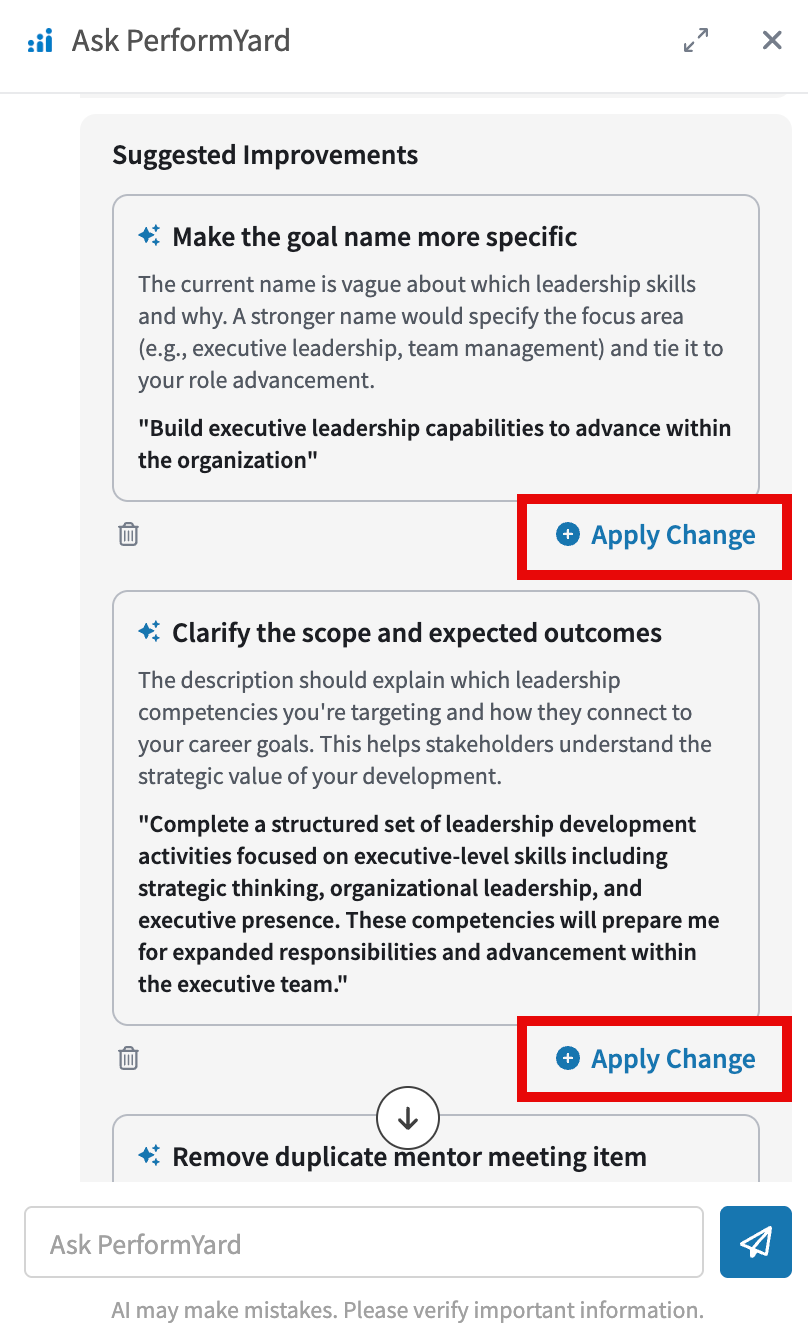
Applying a change automatically scrolls to the corresponding goal property and populates the updated text, marking it with an "Improved with AI" badge so it's clear the field reflects an AI-suggested change.