.png)
Allowing Managers, Contributors, and Group Admins to Create Reports
Introduction
In addition to allowing view-only access to shared reports, organizations can also grant managers, contributors, and group admin roles the ability to create their own reports in Reporting & Analytics. Instead of relying on an administrator to build and share a report, these roles can build employee reports, review reports, goal reports, and survey reports all on their own — using only the data and fields they already have permission to access.
As with shared reports, PerformYard automatically filters every report a non-admin creates so that it never exposes data outside of that person’s chain of command, contributor assignments, or group oversight.
Enabling Create Report Permissions
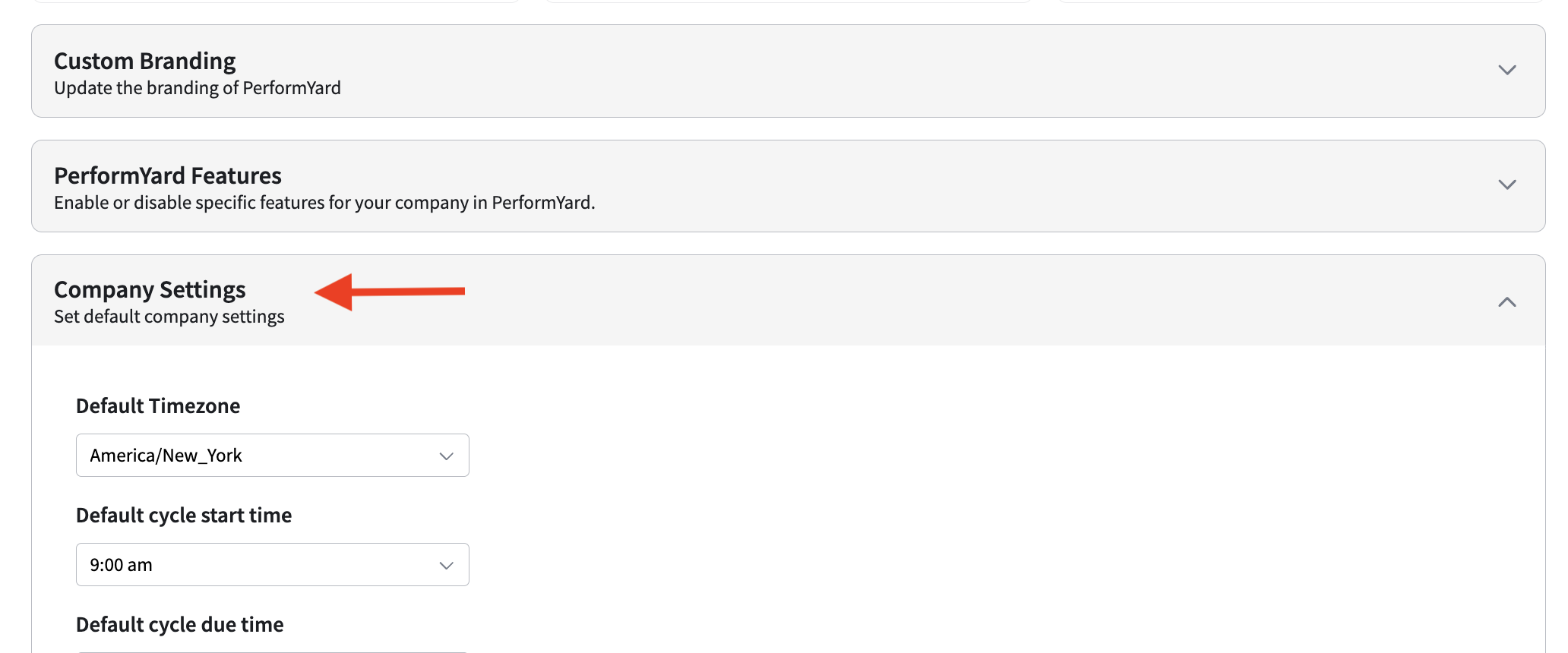
To grant create permissions to managers, contributors, and/or group admins, navigate to the Administration Home page in your administration settings and expand the section titled Company Settings. Here, you will find three settings to grant create report access to managers, contributors, and group admins. By default, these settings are disabled. Update the dropdown value to Enabled for the desired roles and then click Save Changes.
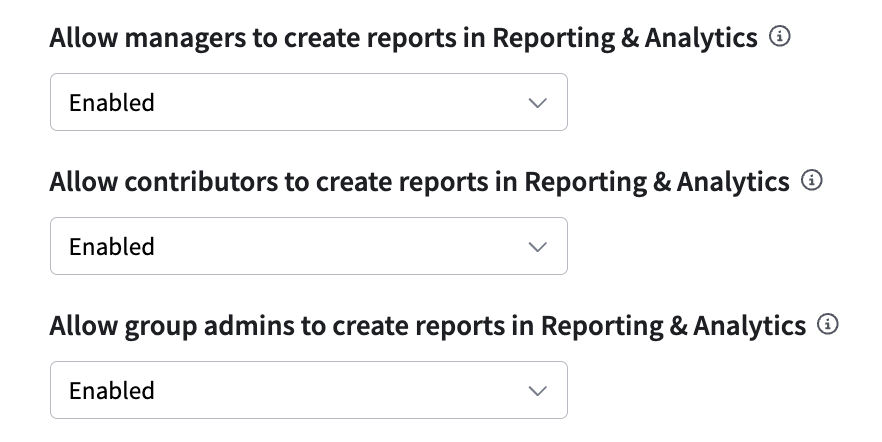
It is important to note that each role's create and view permissions can be turned on independently. For example, organizations can allow managers to create their own reports without granting them view-only access to admin-shared reports, or the reverse.
Once create permissions have been granted to the desired role(s), employees with that role will see a new Create Report button on the Reporting & Analytics landing page. The permissions and reports that appear in the Reporting & Analytics landing page will depend on the combination of create and view settings enabled for each role.
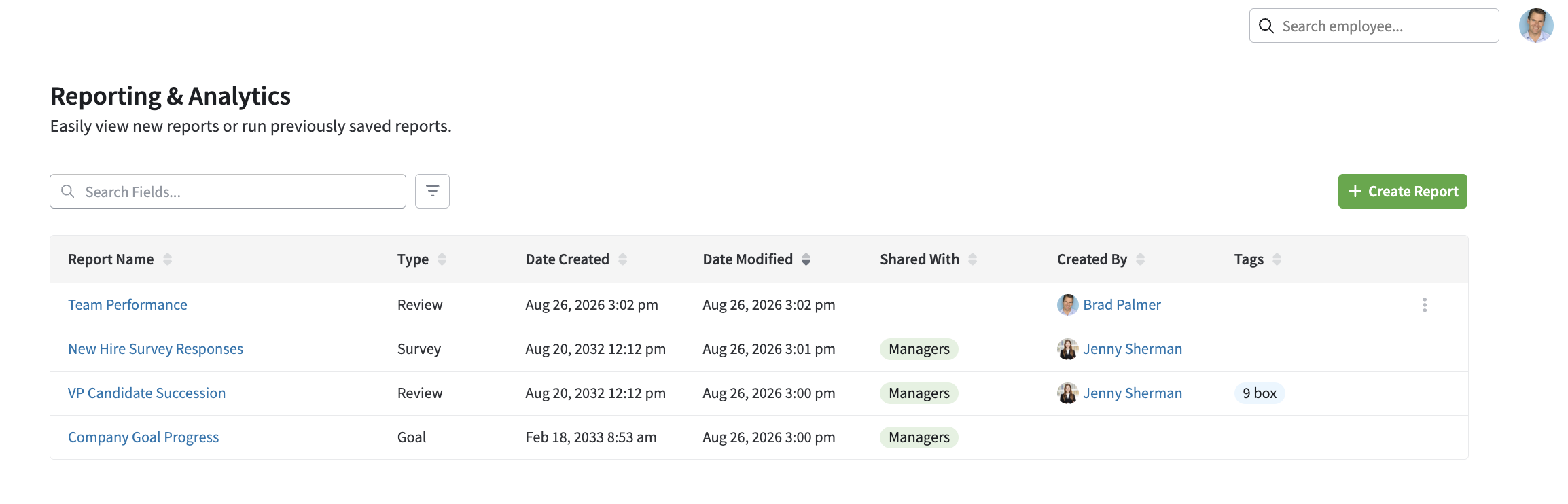
- View AND create permissions are both enabled: The landing page offers a Create Report button. The report list includes any reports the user has created themselves plus any reports an administrator has shared with them.
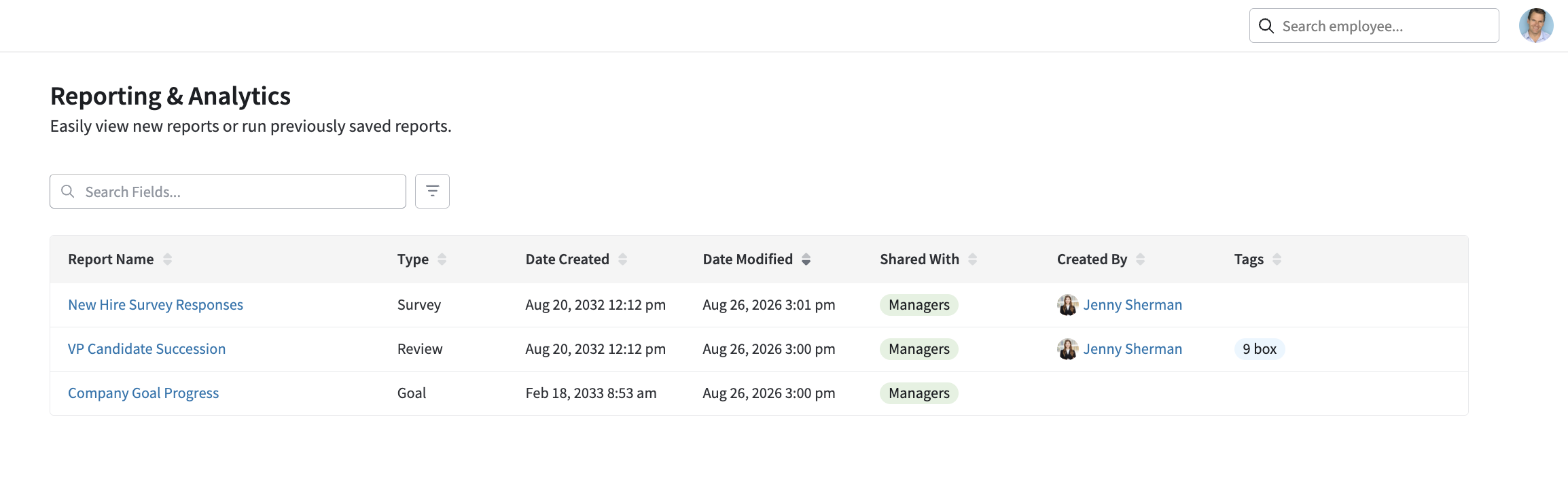
- View permissions enabled, Create permissions disabled: No Create Report button appears. The report list includes only reports shared with that role by an administrator.
- View permissions disabled, Create permissions enabled: The landing page offers the Create Report button. The report list includes only reports the user has created themselves.
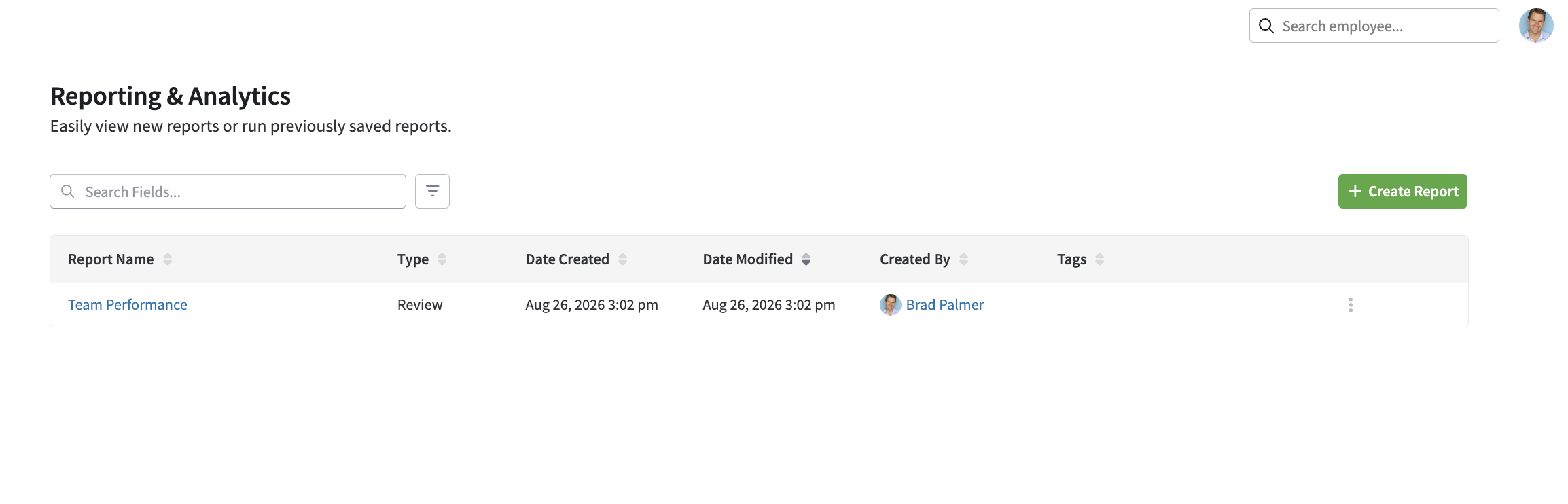
Creating Reports as a Non-Admin
Reports created by managers, contributors, and group admins are automatically filtered based on the creator’s own permissions and reporting relationships. These roles can edit and delete reports they’ve created, including saving a report as a summarized table or building visualizations from the data fields they have access to.
- They cannot access reports created by other non-admin users of the same role.
- The “Share Report” option is not available on reports created by managers, contributors, or group admins — sharing remains an administrator-only action.
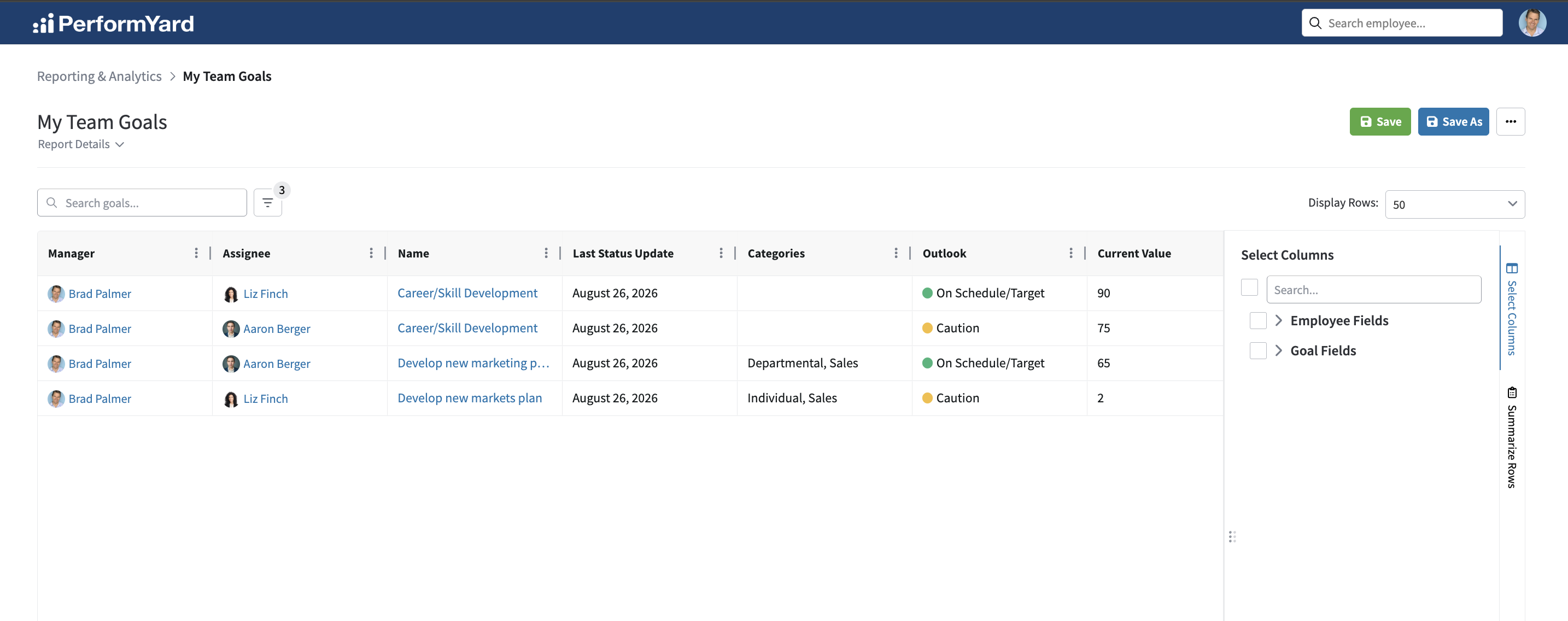
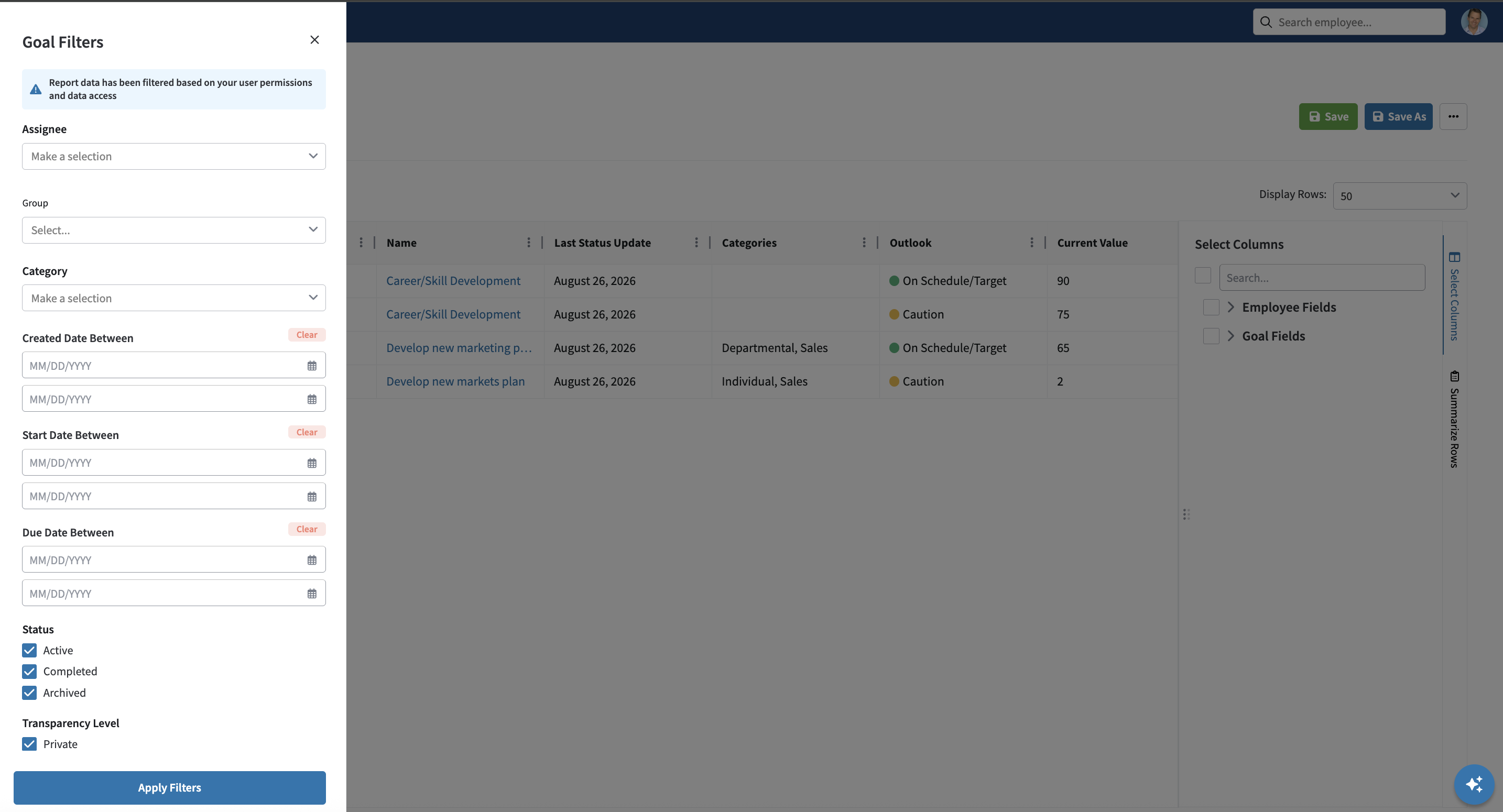
Administrator Visibility into Non-Admin Reports
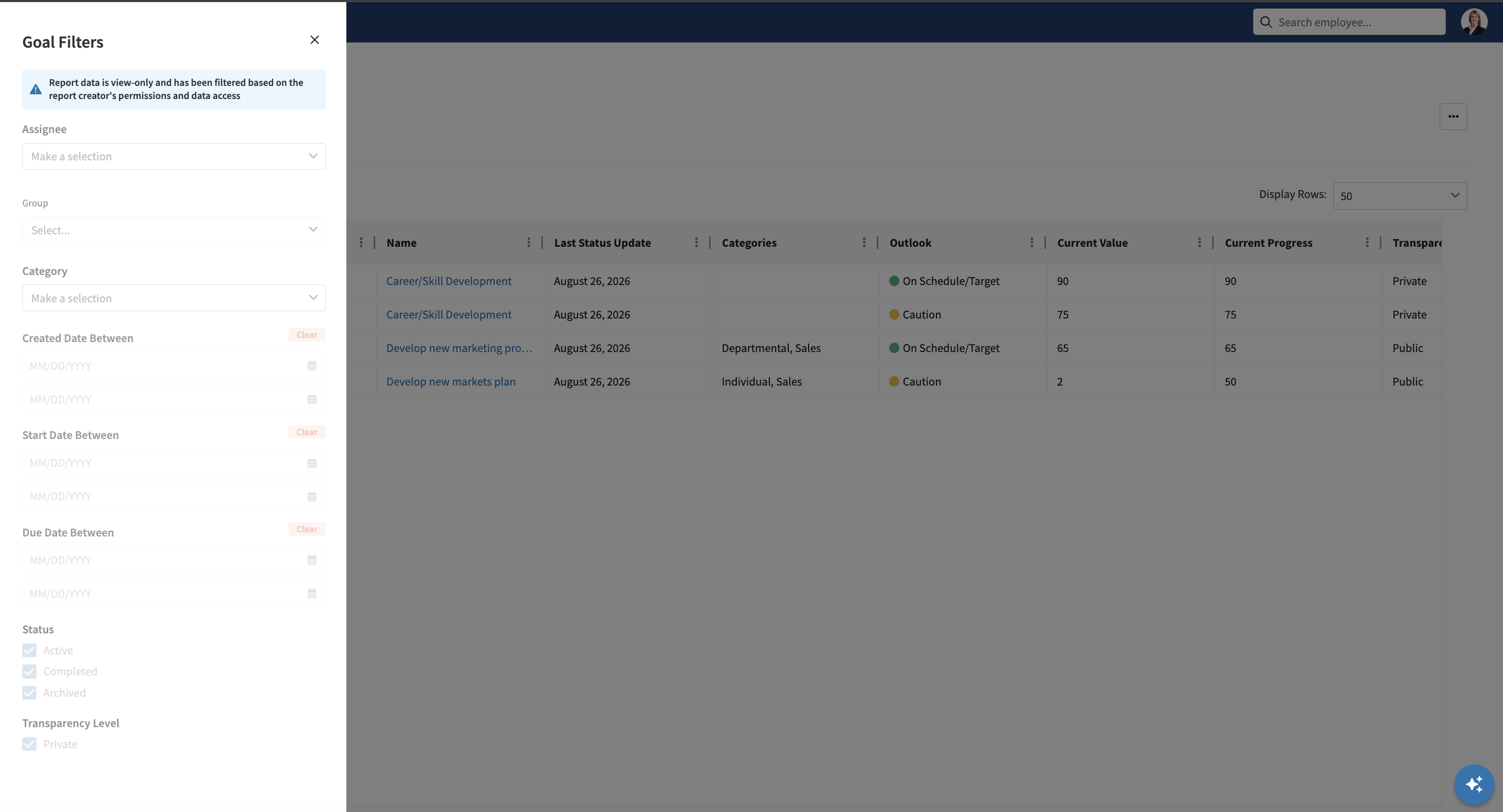
Administrators can open and view any report created by a manager, contributor, or group admin. Unlike their own reports, an administrator who clicks into a report created by a non-admin will see the exact same filtered data set the creator sees. Administrators do not have access to edit, modify, or delete non-admin reports.
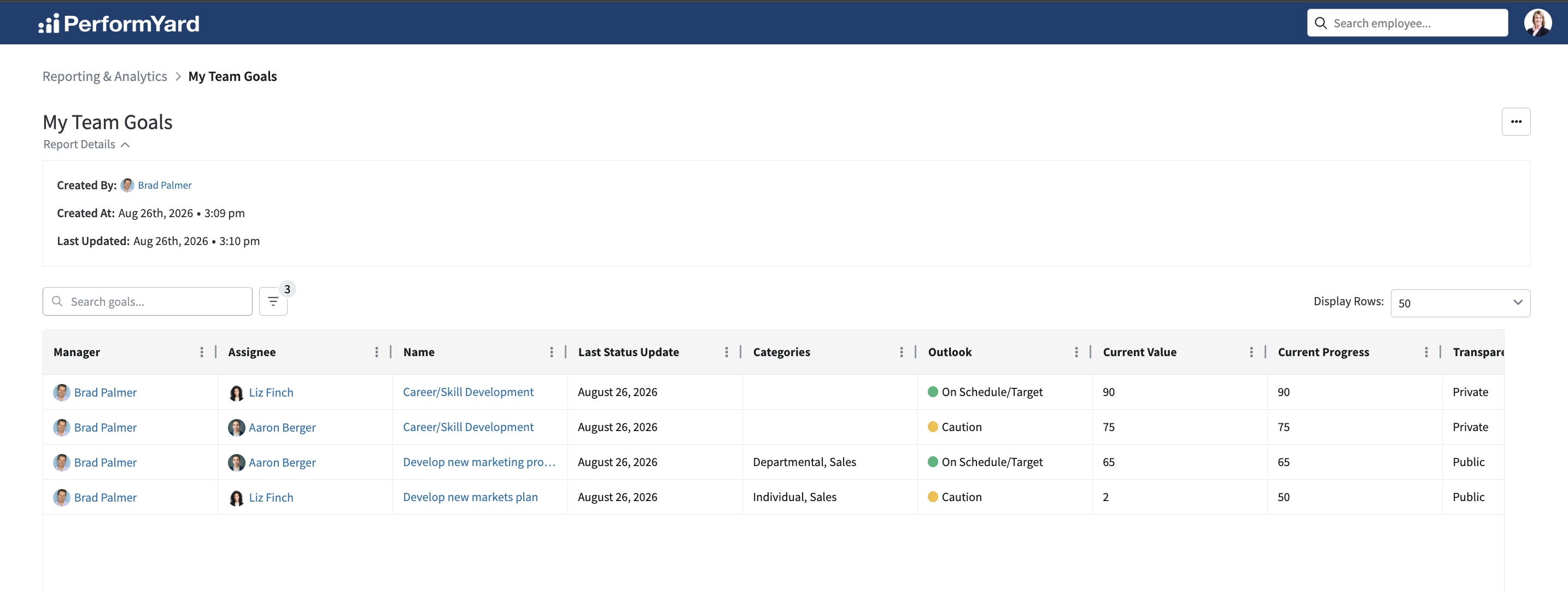
Revoking Create Permissions
To revoke create permissions for a role, return to the Administration home page and expand the Company Settings section. Set the corresponding “Allow [role] to create reports in Reporting & Analytics” dropdown to Disabled and save your changes. Once disabled, that role will no longer see the Create Report button, and any reports they previously created will no longer be listed for any user.