.png)
Using Review and Review Cycle Insights
Introduction
PerformYard's AI Insights Assistant helps you make sense of performance review data without wading through every form line by line. Available with a PerformYard Premium (formerly Enterprise) account, this feature comes in two flavors: Review Insights, which analyzes all the forms submitted for a single employee's review to surface key themes, notable quotes, action items, overall tone, and any disconnects between reviewers; and Review Cycle Insights, which zooms out across an entire review cycle to highlight standout reviews, sentiment distribution, and recurring themes, action items, and disconnects across many employees and forms at once. Together, these tools turn dense, multi-form reviews into clear, actionable summaries — saving you time while making sure important feedback doesn't get lost in the details.
Disclaimer: This feature uses artificial intelligence to generate insights of review form responses. While it aims to provide concise and accurate overviews, these insights may not always capture all nuances or context from the original form question and answers. Please look over the entire review alongside any generated insights to ensure proper interpretation and decision-making. AI-generated outputs are intended to support, not replace, human judgment and should not be the sole basis for any employment decision, such as hiring, promotion, compensation, or termination.
Review Insights (Admins, Managers, Contributors)
With a PerformYard Premium (formerly Enterprise) account and the AI Review Insights Assistant, you can transform multiple review forms into a concise, actionable overview, saving you valuable time while ensuring no important feedback is overlooked. By analyzing patterns across all submitted forms, the AI Review Insights Assistant identifies key themes, notable quotes, specific action items, overall review tone, and disconnects between the reviewers which provides a comprehensive picture of performance that might otherwise be difficult to extract from reviews with numerous forms or questions.
Usage of the Review Insights Assistant is accessible only to authorized personnel: administrators, the employee's direct manager, the employee's contributors, and extends upward through the management hierarchy. This restricted access ensures confidentiality while providing visibility to those with legitimate oversight responsibilities. If you should have access and cannot see the Review Insights button or dropdown option, ensure that the feature is enabled in Administration Settings.
Generating & Viewing Review Insights
You can access the ability to generate new insights or view existing insights at any time during the review process by clicking the Review Insights button located in the top-right corner above the first form. This feature remains available throughout the entire review completion period, providing real-time support whenever needed.
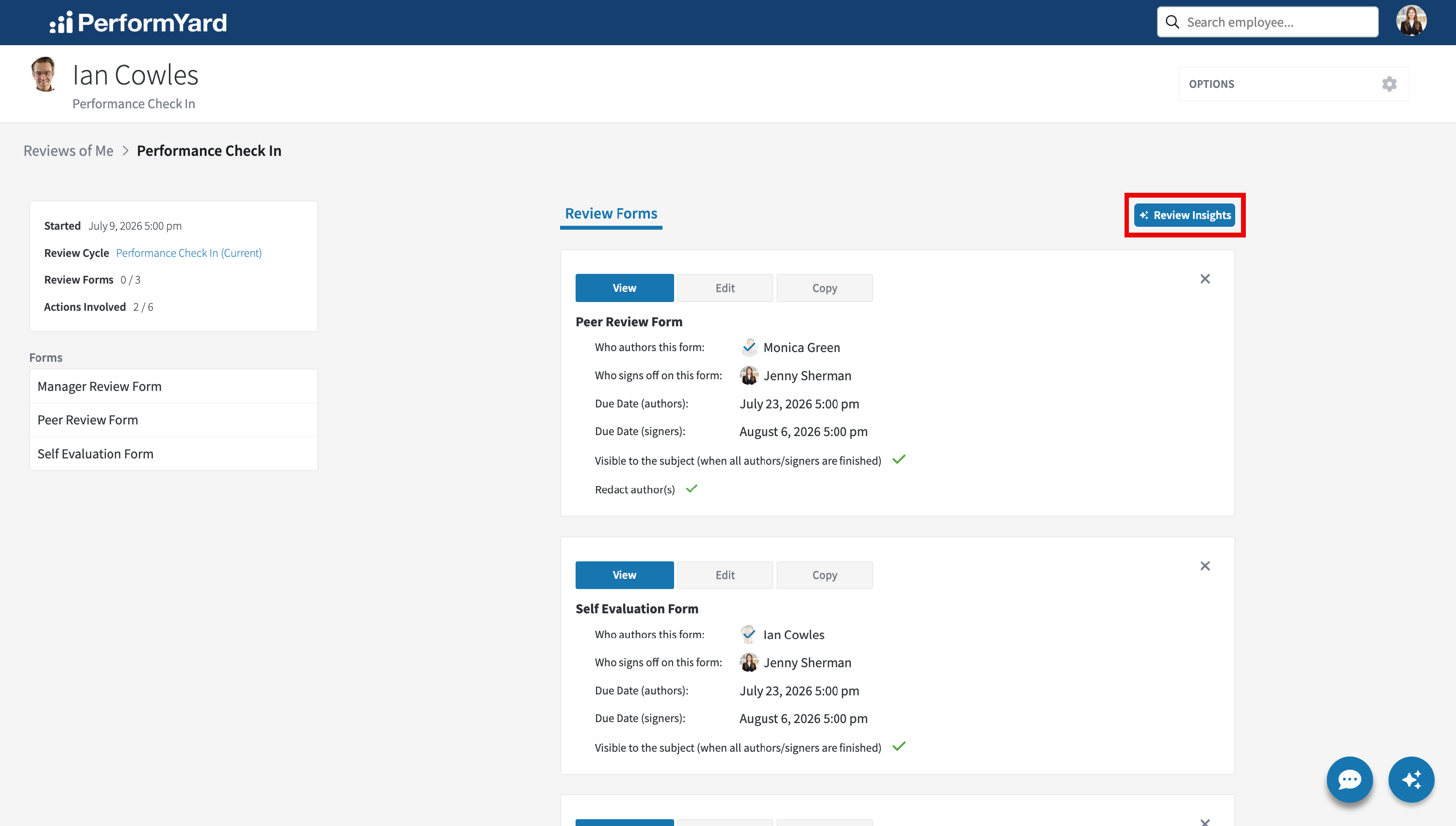
The ability to generate new insights or view existing insights for the review can also be found in Options dropdown on the review page.

When you click the Review Insights button for a review without existing insights, our AI Review Insights Assistant immediately begins analyzing all available authored forms. Please note that the AI Review Insights Assistant only takes into account forms that have been completed by one or more authors. The assistant generates tailored insights based on your company's configured preferences and the answered from questions, which is then saved for convenient future access. While insights can be generated at any time after at least one review form has been completed, we recommend waiting until the review is nearly finished to ensure the insights are as useful and comprehensive as possible. When you click the Review Insights button for a review with existing insights, those insights are shown with the ability to be regenerated. Depending on your admin settings, the following are possible sections you'll see in the insights:
- Key Strengths and Areas for Improvement: This section highlights the review subject's most notable accomplishments and skills, along with specific areas where growth or development is needed. The Review Insights Assistant analyzes patterns across all review forms to identify consistently mentioned strengths and improvement opportunities, providing a balanced overview of performance.
- Relevant Quotes from the Review: Direct excerpts from reviewer feedback that provide meaningful context or particularly insightful observations. The Review Insights Assistant selects quotes that best represent important themes, critical feedback, or exceptional praise that appears throughout the review.
- Action Items Mentioned by Reviewers: Specific recommendations, tasks, or development goals suggested by reviewers. This section compiles all actionable feedback across forms into a consolidated list, making it easier to create follow-up plans and set clear expectations for future growth.
- Overall Tone of the Review (Positive, Negative, Neutral): An assessment of the general sentiment expressed across all review forms, categorized as Positive, Negative, or Neutral. This provides a quick snapshot of how reviewers collectively perceive the subject's performance, helping to contextualize the detailed feedback.
- Differences of Opinions Between Reviewers: Areas where reviewers have expressed contrasting perspectives or assessments. This section identifies significant variations in feedback on specific skills, behaviors, or accomplishments, highlighting where perceptions differ among review form authors.
We handle redacted forms with care. When a form is marked for anonymity, we include its valuable feedback in the insights while carefully omitting all author identification details. The insights assistant processes this content without any name or role information, ensuring anonymous contributors remain completely confidential to all users, even those with insights access.
Regenerating Review Insights

After review insights are generated, you have the option to refresh insights at any time by clicking Re-summarize. This prompts our assistant to generate a new analysis incorporating all current responses, taking your company's section preferences into account. This feature is particularly valuable when the original insights were created before all feedback was submitted, allowing you to access the most comprehensive insights once the review is complete.
Review Cycle Insights
With a PerformYard Premium (formerly Enterprise) account and the AI Review Cycle Insights Assistant enabled, you can transform multiple reviews within a review cycle into clear, actionable insights, saving you valuable time while ensure no important information is overlooked. By analyzing patterns across reviews and their authored forms, the AI Review Cycle Insights Assistant aims to highlight key reviews, review sentiment distribution, and recurring themes, action items, and disconnects to provide a comprehensive picture of performance that might otherwise be difficult to extract from a large number of reviews with numerous forms or questions within a review cycle.
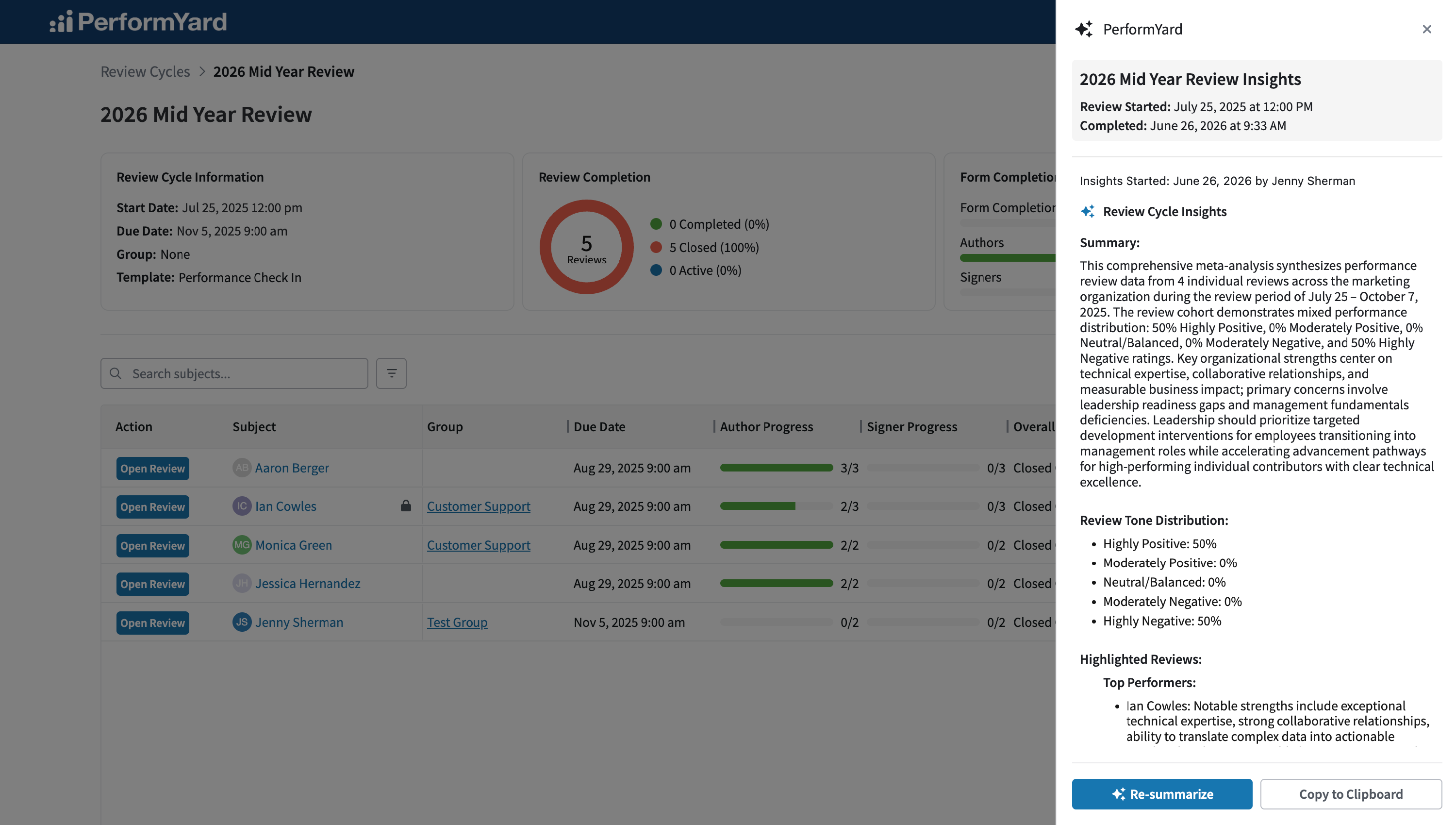
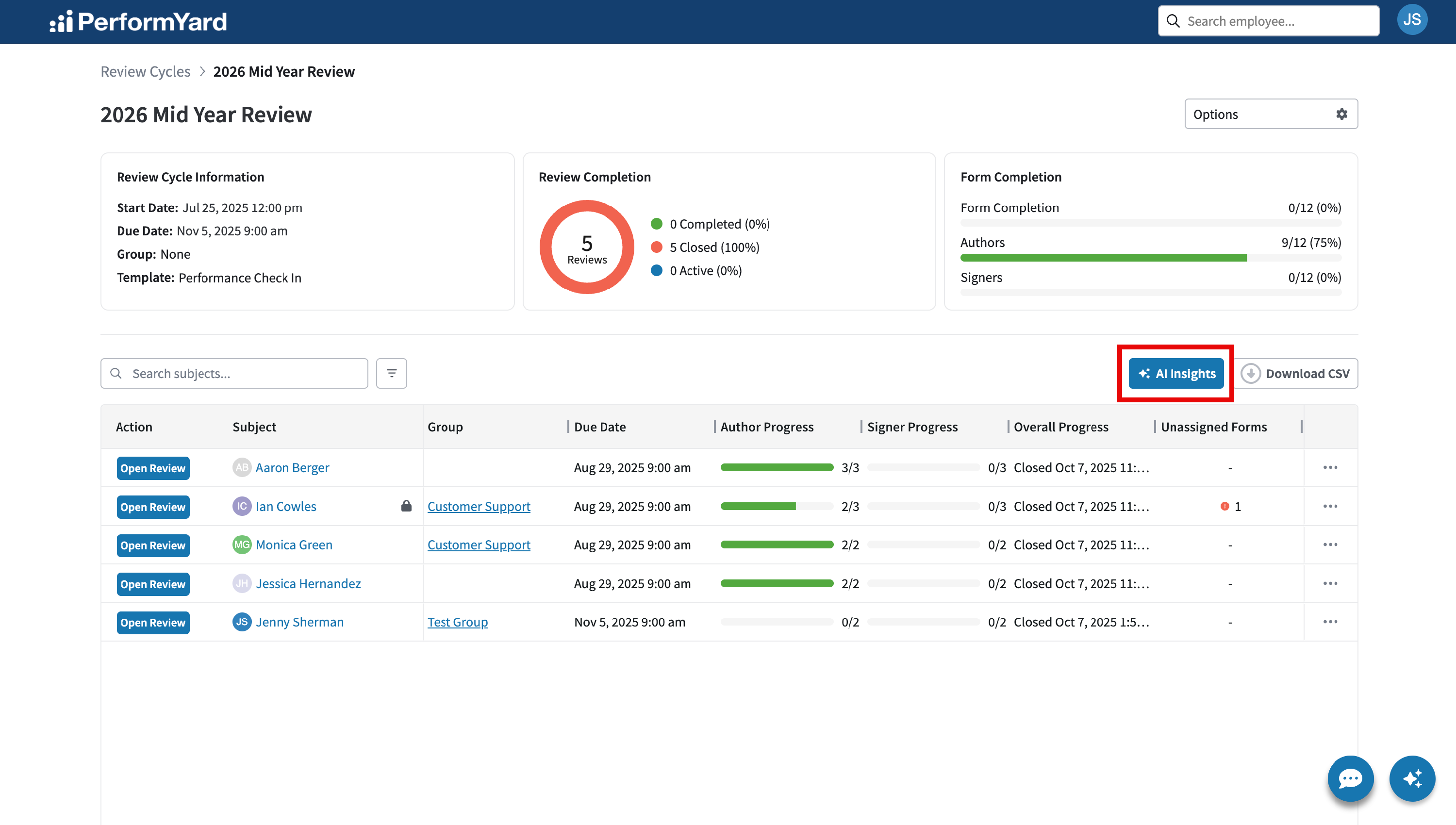
You can access the ability to generate new insights or view existing insights at any time once the review cycle has been closed or completed by clicking the AI Insights button located to the right of the review cycle page underneath the status visualization.
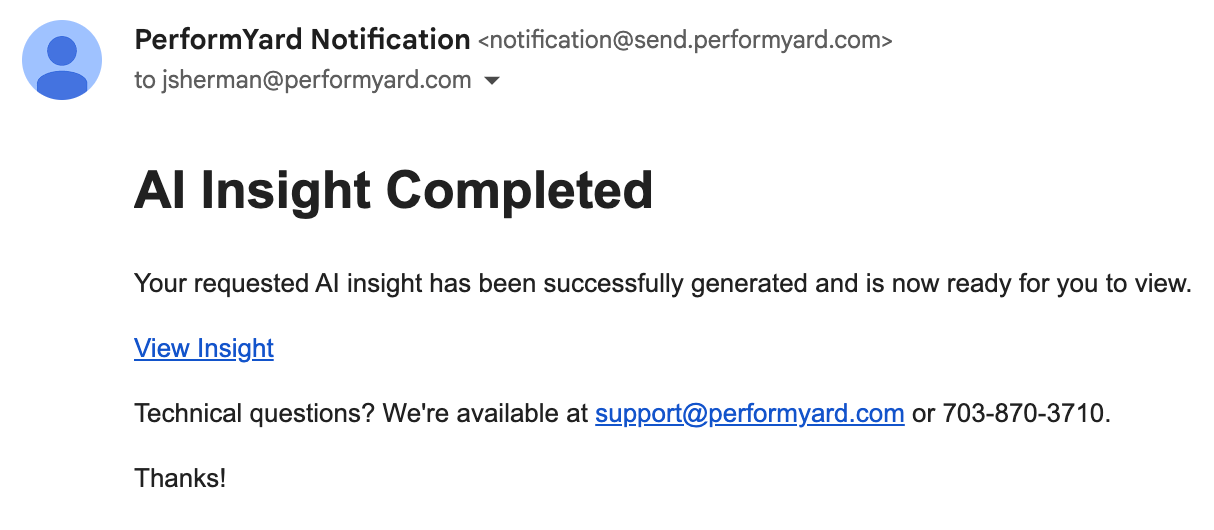
When you click the AI Insights button for a review cycle without existing insights, our AI Review Cycle Insights Assistant immediately begins analyzing all available reviews. Please note that the AI Review Cycle Insights Assistant includes only reviews that have at least one authored form, and only those authored forms are considered. If a review contains multiple forms, only the authored ones will be included in the analysis. It generates tailored insights based on your company’s configured preferences and the reviews within the review cycle, then saves them for easy future access. This process may take some time, so feel free to navigate away from the page or even leave PerformYard entirely after clicking Cycle Insights. While your insights are loading, you may notice that the number of reviews completed appears higher than the total number in your review cycle. This is because we break reviews into smaller segments to streamline processing and generate insights more efficiently. If your organization has the Insights Complete Notification enabled, we'll send you an email once the insights are finished generating.
Insights can only be generated for review cycles that are closed or completed and include two reviews, each with at least one submitted form. We recommend waiting until your review cycle has fully concluded before generating insights.
When you click the Cycle Insights button for a review cycle with existing insights, those insights are shown with the ability to be regenerated or copied.
Regenerating Insights

After review cycle insights have been generated, you'll have the option to refresh them at any time by clicking Re-summarize. This prompts our assistant to generate a new analysis incorporating all current reviews/forms, taking your company's section preferences into account.