.png)
AI Review & Review Cycle Insights Setup
Introduction
If you are on a PerformYard Premium (formerly Enterprise) account, as an administrator, you have the ability to tailor the AI Review Cycle & Review Insights Assistants to your organization's needs. You can configure key settings such as enabling or disabling the feature, enabling or disabling a notification when insights are generated, and which sections to include in the insights. This feature is available in your company settings under AI Assistants → AI Insights → Reviews.
Disclaimer: This feature uses artificial intelligence to generate insights based on reviews in a review cycle. While it aims to provide concise and accurate overviews, these insights may not always capture all nuances or context from the original reviews, questions, and responses. Please look over the entire review and review cycle alongside any generated review insights to ensure proper interpretation and decision-making. AI-generated outputs are intended to support, not replace, human judgment and should not be the sole basis for any employment decision, such as hiring, promotion, compensation, or termination.
Review Cycle Insights
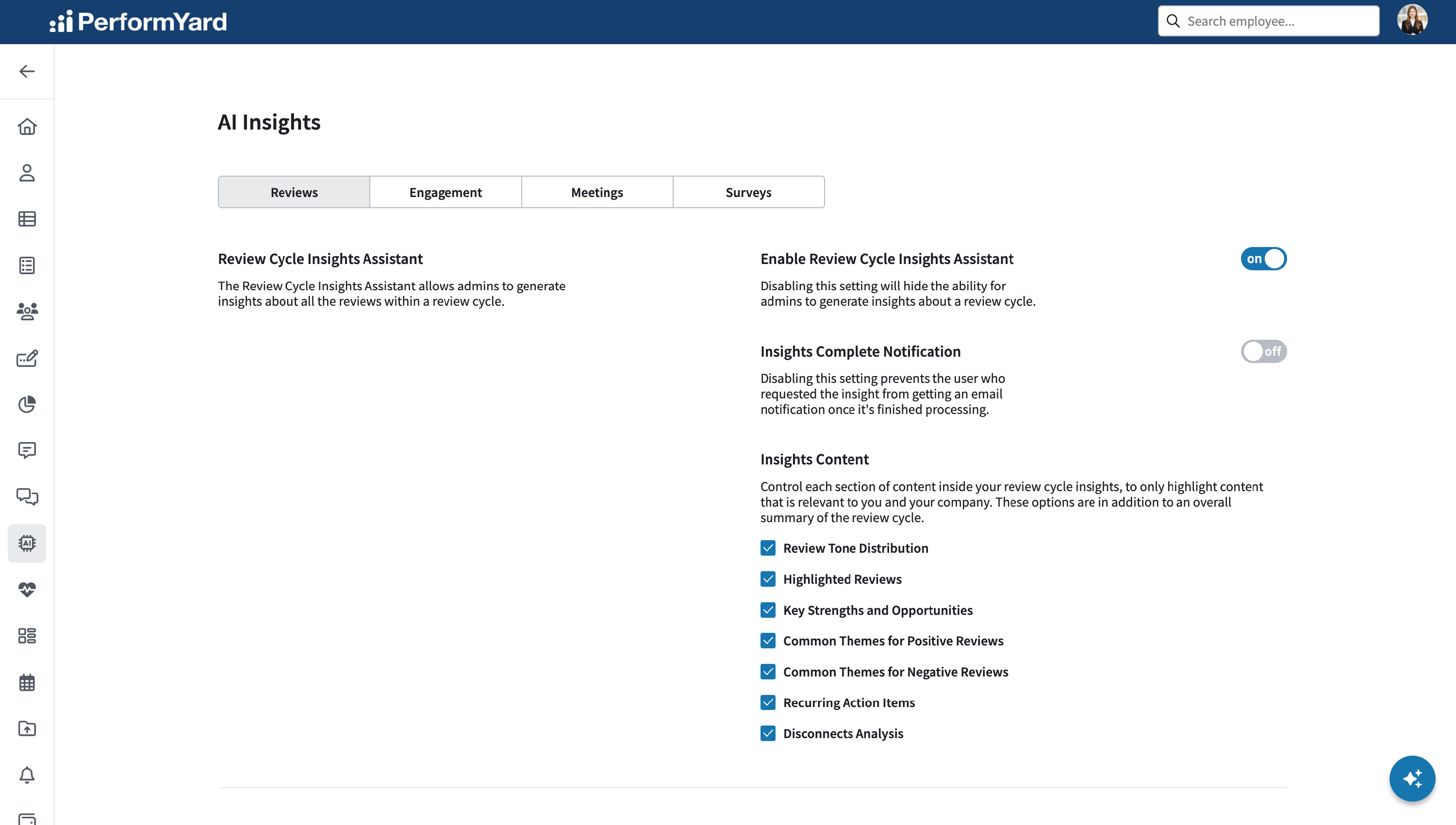

Administrators have the ability to enable or disable the AI Review Cycle Insights Assistant feature for their entire organization. This feature can be turned on or off based on the needs of your team or company policies. To disable the AI Review Cycle Insights Assistant for all review cycles, simply set the toggle to “off”. When the feature is disabled, users who can access a review cycle will not have the option to generate insights for any PerformYard review cycles.
Enable Insights Complete Notification

Administrators can control whether email notifications are sent to users when review cycle insights are completed. This organization-wide setting can be turned on or off based on team preferences or company policy. When enabled, users who initiate the creation of review cycle insights will receive an email once the process is complete. To prevent these notifications from being sent, simply switch the toggle to “Off.” When disabled, no email will be sent upon the completion of review cycle insights generation.
Review Cycle Insights: Insights Content
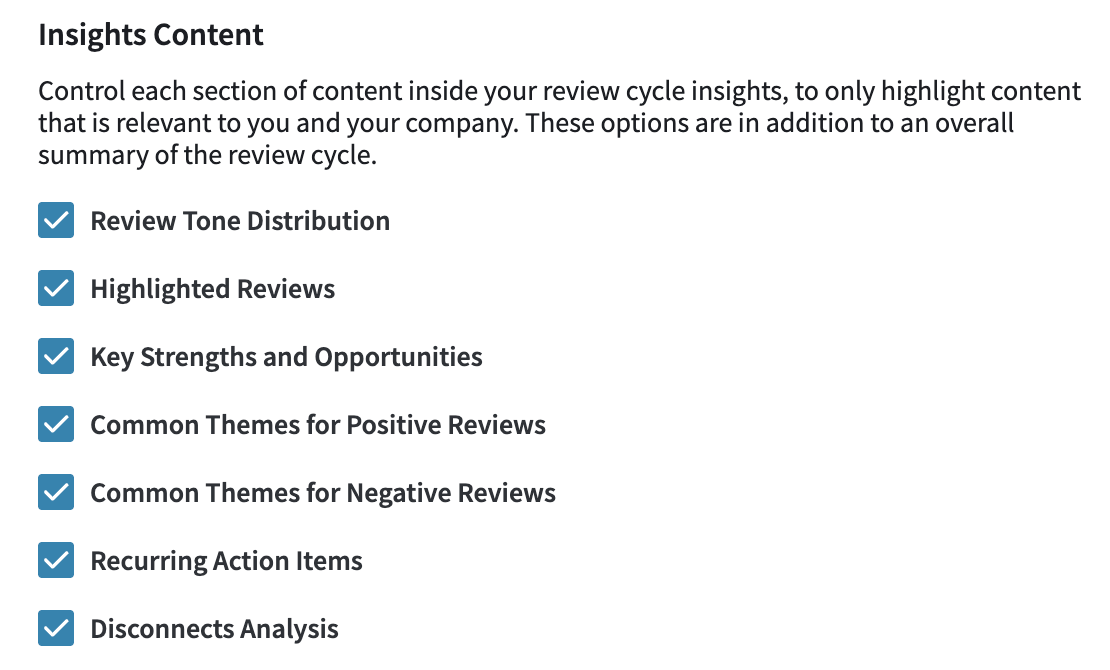
As an administrator, you have control over which sections are included in the AI generated review cycle insights. This allows you to tailor the insights to highlight only the most relevant content for your team and organization. The Review Cycle Insights Assistant synthesizes multiple individual reviews into clear, actionable summaries. These summaries are then used to generate high-level insights across the entire review cycle. By analyzing patterns across all submitted reviews, the assistant identifies key elements such as overall sentiment, standout (celebratory or concerning) reviews, recurring themes, action items, and potential misalignments. This provides a comprehensive picture of performance that might otherwise be difficult to extract for a review cycle with numerous individual reviews.
- Review Tone Distribution: Identifies the emotional or sentiment breakdown of the reviews in the cycle and whether they were generally positive, negative, or mixed.
- Highlighted Reviews: Identifies specific individuals whose reviews stand out, either for exceptional performance, areas needing immediate attention, or clear growth potential.
- Key Strengths and Opportunities: Identifies the most frequently mentioned strengths and development areas across all reviews.
- Common Themes for Positive Reviews: Identifies recurring patterns or behaviors highlighted in the favorable reviews.
- Common Themes for Negative Reviews: Identifies recurring patterns or behaviors highlighted in concerning or less favorable reviews.
- Recurring Action Items: Identifies commonly suggested next steps or development actions frequently recommended in reviews.
- Disconnects Analysis: Identifies and summarizes the most commonly seen disconnects across reviews.
To add or remove a section from review cycle insights:
- Click the checkbox next to each category you wish to include or exclude
- Click the green Save Changes button
The review cycle insights will now only include the sections that are checked in the Insights Content section.
Review Insights
 Enable Review Insights Assistant
 Enable Review Insights Assistant
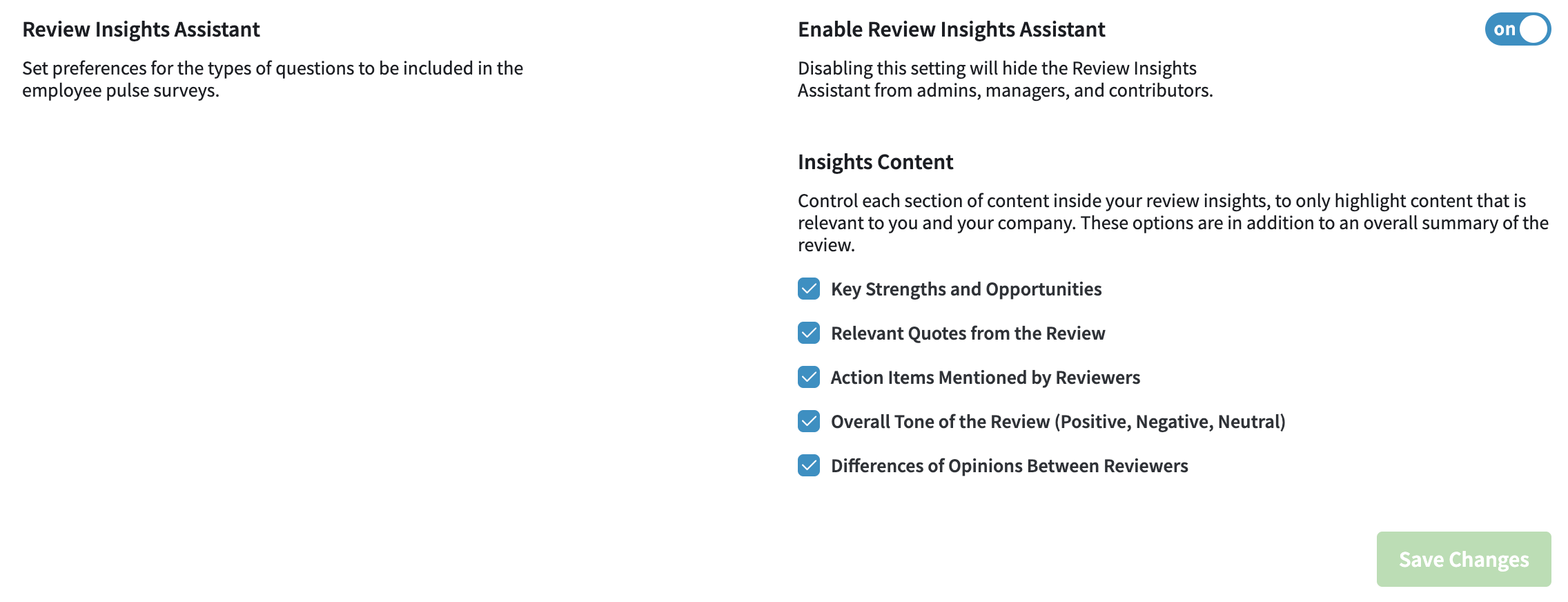
Administrators have the ability to enable or disable the AI Review Insights Assistant feature for their entire organization. This feature can be turned on or off based on the needs of your team or company policies. To disable the AI Review Insights Assistant for all reviews, simply set the toggle to “off”. When the feature is disabled, admins, managers, and contributors will not have the option to generate insights for any PerformYard reviews.
Review Insights: Insights Content

As an administrator, you can control which sections are included in the AI generated review insights. This ensures you only see content that is relevant to you and your company. The Review Insights Assistant transforms multiple review forms into a concise, actionable overview, saving you valuable time while ensuring no important feedback is overlooked. By analyzing patterns across all submitted forms, the assistant identifies key themes, notable quotes, and specific action items, providing a comprehensive picture of performance that might otherwise be difficult to extract from numerous individual reviews.
- Key Strengths and Areas for Improvement: This section highlights the review subject's most notable accomplishments and skills, along with specific areas where growth or development is needed. The Review Insights Assistant analyzes patterns across all review forms to identify consistently mentioned strengths and improvement opportunities, providing a balanced overview of performance.
- Relevant Quotes from the Review: Direct excerpts from reviewer feedback that provide meaningful context or particularly insightful observations. The Review Insights Assistant selects quotes that best represent important themes, critical feedback, or exceptional praise that appears throughout the review.
- Action Items Mentioned by Reviewers: Specific recommendations, tasks, or development goals suggested by reviewers. This section compiles all actionable feedback across forms into a consolidated list, making it easier to create follow-up plans and set clear expectations for future growth.
- Overall Tone of the Review (Positive, Negative, Neutral): An assessment of the general sentiment expressed across all review forms, categorized as Positive, Negative, or Neutral. This provides a quick snapshot of how reviewers collectively perceive the subject's performance, helping to contextualize the detailed feedback.
- Differences of Opinions Between Reviewers: Areas where reviewers have expressed contrasting perspectives or assessments. This section identifies significant variations in feedback on specific skills, behaviors, or accomplishments, highlighting where perceptions differ among review form authors.
To add or remove a section from the review insights:
- Click the checkbox next to each category you wish to include or exclude
- Click the green Save Changes button
The review insights will now only include the sections that are checked in the Insights Content section.