
Ask PerformYard Settings and Options (admin)
Introduction
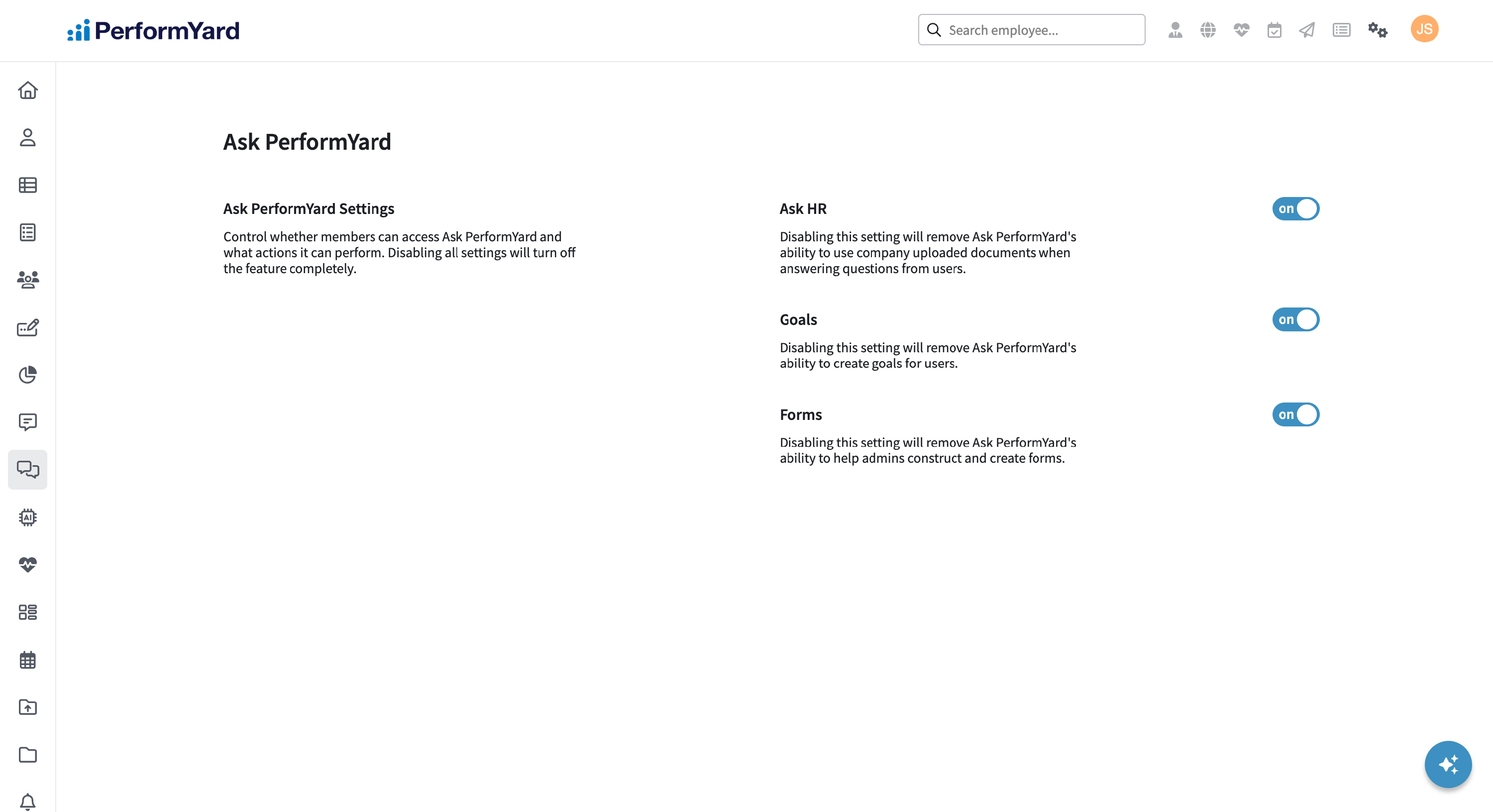
If you are on a PerformYard Premium (formerly Enterprise) account, as an administrator, you have the ability to tailor Ask PerformYard to your organization's needs. You can configure key settings, including enabling or disabling specific Ask PerformYard features like Ask HR, Goals, or Forms.This feature is available in your administration settings under Ask PerformYard.
Disclaimer: Ask PerformYard uses artificial intelligence to generate answers to employee questions. While it aims to provide concise and accurate responses, they may not always capture all nuances or context from the original company resources. Please consult company resources alongside any generated responses to ensure proper interpretation and decision-making.
Ask HR

Ask HR is a feature within Ask PerformYard that enables your organization to provide instant, accurate answers to common employee questions using your company's own resources. HR admins can build a custom knowledge base by uploading company document, such as policies, procedures, handbooks, and guidelines. When employees ask Ask PerformYard a question, the assistant searches this knowledge base to provide relevant, context-aware answers drawn directly from your organization's materials. This feature aims to help reduce the volume of repetitive HR inquiries while ensuring employees get fast, reliable information when they need it. Ask HR intelligently parses uploaded PDF documents and retrieves the most relevant information to answer each question accurately.
Ask HR currently only supports PDF documents uploaded to Company Info > Resources.
Administrators can enable or disable Ask HR for the entire organization based on team needs or company policies. When disabled, all users, including admins, managers, and employees, will be unable to access answers from company resources through Ask PerformYard.
Goals

The Goals setting controls a feature within Ask PerformYard that enables employees and managers to quickly generate actionable, relevant goals with the help of AI. When enabled, Ask PerformYard guides users through a short series of questions, such as goal type, focus area, and timeframe, and uses that context alongside existing employee and team data to suggest up to 5 tailored goals. Employees can create goals for themselves, while managers and skip-level managers can generate goals for their direct and indirect reports, and admins can create goals for anyone in the organization. Suggested goals can be reviewed, edited, and created directly from the chat window, helping reduce the time spent on goal formation while ensuring employees and teams start with clear, well-structured performance expectations.
Administrators can enable or disable all goal related Ask PerformYard features for the entire organization based on team needs or company policies. When disabled, all users, including admins, managers, and employees, will be unable to create goals through Ask PerformYard.
Forms

The Forms setting unlocks AI-powered form assistance within Ask PerformYard, giving admins two ways to build smarter review forms faster:
- Form Creation: From anywhere in the platform, admins can ask Ask PerformYard to generate a review form. It guides them through a few quick questions, review type, role, and time period, then uses that context alongside existing forms to produce a tailored suggestion of up to 15 questions. Admins can create the form instantly or refine it further through conversation.
- Question Suggestions in the Form Builder: When an admin opens Ask PerformYard from within the form builder, it automatically shifts into assist mode and offers relevant question suggestions for the form in progress. It surfaces up to 3 questions at a time, each of which can be added directly to the form or dismissed. For forms with more than 3 existing questions, Ask PerformYard uses the form itself as context, no additional setup needed.
Administrators can enable or disable this feature for the entire organization at any time. When disabled, form creation and question suggestions will be unavailable to all admins through Ask PerformYard.